
Written by: Chief Technology Officer
Dmitry ReznikUpdated: 12.10.2026
26 min read
Most organizations want more automation than they can build and maintain.
The World Quality Report 2025–26 found that companies automate an average of only 33% of their test cases. The obstacles are rarely limited to writing scripts:
60% struggle to obtain secure, scalable test data.
58% report challenges adopting AI-powered testing tools.
56% face fragmented strategies and automation skill gaps.
54% struggle to select the right tests to automate.
50% cite maintenance and flaky tests as barriers.
44% have difficulty integrating automation with CI/CD and legacy systems.
Test Automation as a Service, or TAaaS, addresses these problems by giving a specialized provider responsibility for automation strategy, framework development, infrastructure, test implementation, execution, maintenance, and reporting.
It is not simply a way to rent several automation engineers. A mature TAaaS engagement is managed around measurable outcomes: faster feedback, stable regression, wider risk coverage, and less maintenance work for the internal team.
What is Test Automation as a Service?
Test Automation as a Service is a delivery model in which an external provider designs, implements, operates, and improves automated software testing for a client.
Depending on the engagement, the provider may be responsible for:
Assessing existing manual and automated coverage.
Creating an automation strategy.
Selecting tools and frameworks.
Building or modernizing the automation framework.
Preparing test environments and data.
Automating web, mobile, API, integration, and performance tests.
Connecting tests to CI/CD pipelines.
Managing cloud browsers and devices.
Maintaining scripts as the product changes.
Investigating failures and reporting defects.
Tracking automation performance and business outcomes.
Transferring the framework and knowledge to the client when required.
The scope may begin with a small regression suite or extend to a fully managed automated testing service across several products and platforms.
TAaaS vs TaaS
The terms are easy to confuse.
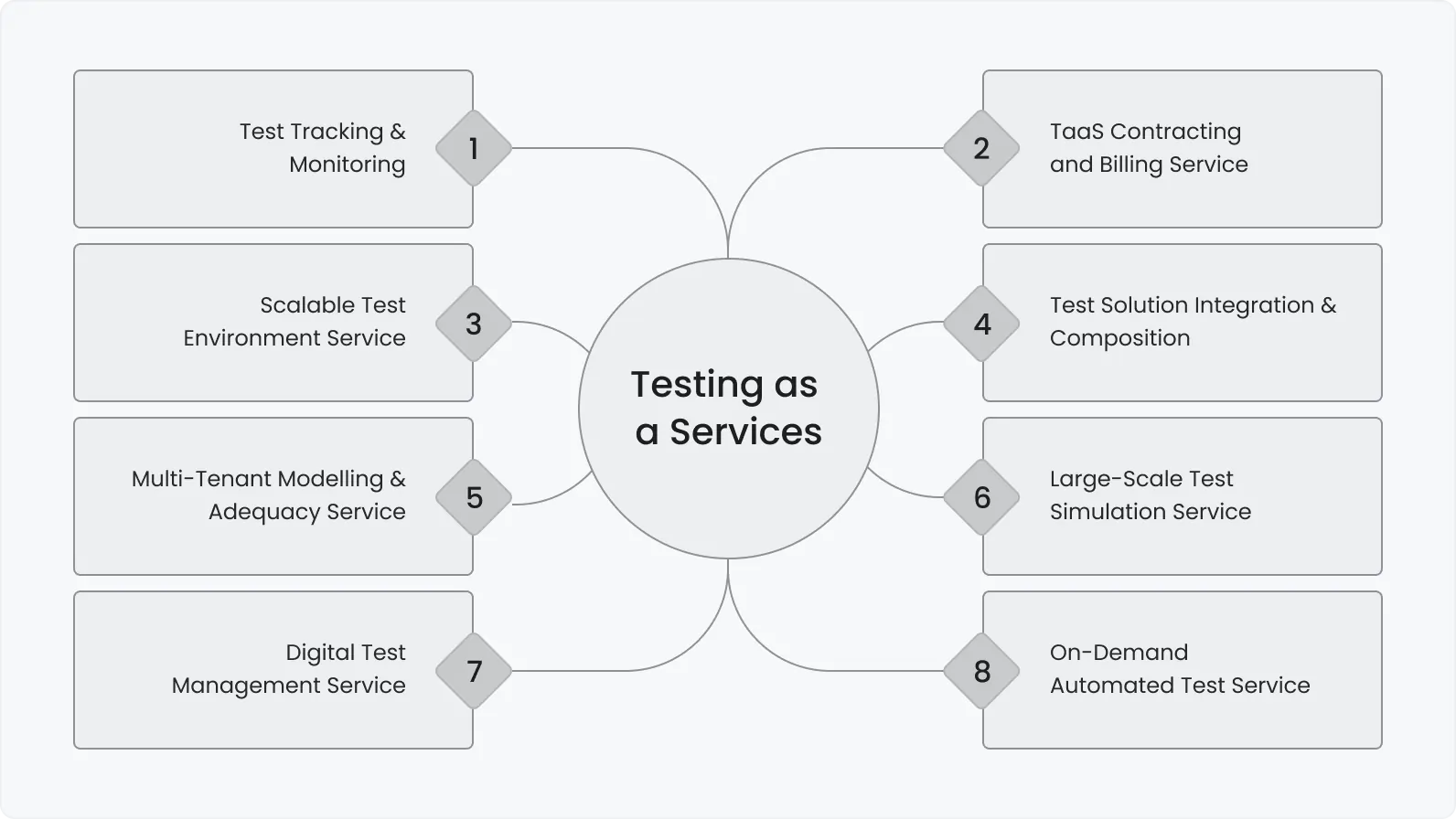
Testing as a Service (TaaS) is the broader model. It can include manual, exploratory, performance, security, usability, accessibility, and automated testing.
Test Automation as a Service is narrower. It focuses on the engineering and operation of repeatable automated checks.
A company may use TaaS for its entire testing function while using TAaaS specifically for regression automation, API coverage, mobile testing, or CI/CD integration.
What is included in TAaaS?
The service should cover more than script development.
Automation assessment
Reviews coverage, architecture, tools, scripts, pipelines, and maintenance problems
Audit report and prioritized roadmap
Test strategy
Defines scope, test layers, priorities, risks, environments, and metrics
Automation strategy
Framework development
Builds reusable architecture, utilities, reporting, and integrations
Version-controlled automation framework
Test implementation
Automates selected functional and non-functional scenarios
Reviewed test scripts
Environment setup
Prepares local, cloud, containerized, browser, device, and CI environments
Repeatable execution infrastructure
Test data management
Creates, masks, seeds, refreshes, and cleans test data
Data utilities and documented datasets
CI/CD integration
Connects checks to pull requests, builds, schedules, and deployments
Automated pipeline stages
Execution and analysis
Runs suites, investigates failures, and reports defects
Test reports and defect tickets
Maintenance
Updates tests when the product, data, or dependencies change
Stable, current regression suites
Optimization
Removes redundancy, reduces runtime, and improves reliability
Faster feedback and lower maintenance cost
Knowledge transfer
Documents architecture and trains the internal team
Runbooks, technical documentation, and workshops
Ownership must be explicit. A contract that promises “automated testing” without defining maintenance, test data, infrastructure, failure analysis, and reporting can leave the client with a large suite that nobody can operate reliably.
What can be automated through TAaaS?
Web application testing
Critical journeys, regression, smoke, cross-browser checks
Playwright, Cypress, Selenium, WebdriverIO
Mobile testing
Native and hybrid workflows across devices and OS versions
Appium, XCUITest, Espresso
API testing
Business logic, negative scenarios, authentication, schemas, and data validation
Postman, Newman, REST Assured
Integration and contract testing
Service interactions, events, third-party dependencies, and schema changes
Pact, WireMock, MockServer
Performance testing
Load, stress, spike, endurance, and scalability scenarios
k6, JMeter, Gatling
Accessibility checks
Repeatable WCAG-oriented technical checks
axe-core, Playwright, Cypress
Visual regression
Unexpected layout and component changes
Percy, Applitools
Data and database testing
Data integrity, migrations, transformations, and reconciliation
SQL tools and custom utilities
Production monitoring
Safe synthetic journeys and availability checks
Playwright, monitoring platforms, custom probes
Unit testing is usually owned by developers because it is tightly connected to source-code design. A TAaaS provider may advise on unit-test strategy, review coverage, or support implementation, but ownership should remain close to the development team.
Security automation can also be included, but automated scanning does not replace threat modeling, manual security review, or penetration testing.
When does TAaaS make sense?
You have little or no automation
Starting from scratch requires architectural decisions that can be difficult to reverse later. A provider can design the framework, select tools, establish conventions, and automate the first critical flows while the internal team continues product development.
Your current suite is unstable
An existing suite may contain hundreds of tests but still provide little value because of false failures, duplicated scenarios, hard-coded data, slow execution, or poor reporting.
In this situation, TAaaS should begin with an audit. Adding more scripts to a fragile framework usually increases maintenance cost without improving release confidence.
Regression is delaying releases
If regression takes several days or weeks, automation can move high-value repeatable checks into CI/CD and scheduled pipelines.
The goal should not be to automate the entire manual suite. It should be to produce useful feedback early enough to influence a release decision.
You need skills that are difficult to hire
Mobile automation, performance engineering, API contract testing, and large-scale parallel execution require specific experience. TAaaS provides access to these skills without building every capability internally.
Automation demand changes over time
A company may require several engineers during initial framework development but fewer once the suite enters maintenance. A service model can adjust capacity without repeatedly hiring and reducing an internal team.
You operate several products or platforms
TAaaS can establish shared standards across web, mobile, API, microservice, and legacy systems while adapting test implementation to each product.
You need independent quality feedback
An external automation team can challenge assumptions about coverage, release gates, and acceptable failure rates. This is useful when the internal team has normalized flaky tests or stopped reviewing whether the suite still reflects product risk.
When is TAaaS not the right answer?
TAaaS will not solve every QA problem.
It may be premature when:
Requirements change daily and critical workflows are not yet understood.
The product has no stable interfaces suitable for repeatable testing.
The team expects automation to replace exploratory or usability testing.
No one can provide access to environments, data, code, or subject-matter experts.
Leadership expects immediate savings without funding framework development.
The organization refuses to change a release process that cannot consume automated feedback.
Security or contractual restrictions make the required collaboration impossible.
The provider is expected to automate poorly designed manual tests without reassessing their value.
A short discovery or pilot may still be useful in these situations. It can establish what should be automated now, what should remain manual, and which product or process changes are needed first.
Benefits of Test Automation as a Service
1. Faster access to automation expertise
A provider can start with engineers who already know the relevant frameworks, test layers, CI systems, and infrastructure patterns.
This avoids turning the first months of an automation initiative into a sequence of tool experiments.
2. Lower setup risk
The costliest automation mistakes are architectural:
Selecting a tool that does not support critical workflows.
Building most coverage through unstable UI tests.
Ignoring test-data creation.
Coupling tests to execution order.
Creating a framework that cannot run in parallel.
Leaving reporting until the end.
Making the suite dependent on one engineer.
TAaaS does not eliminate these risks automatically. It reduces them when the provider has evidence of maintaining comparable systems in production.
3. Flexible capacity
The team can expand during framework creation, migration, or major releases and contract when the workload shifts to maintenance.
This flexibility is particularly useful when the client needs a temporary capability rather than a permanent automation department.
4. Continuous ownership
A functioning service covers more than implementation. It includes failed-test investigation, framework upgrades, dependency changes, test-data support, reporting, and removal of obsolete scenarios.
This distinction matters because automation usually deteriorates through neglect rather than one dramatic failure.
5. More predictable feedback
The real value of automation is not the number of scripts. It is the speed and reliability of information available to developers and release owners.
Useful outcomes include:
A smoke result within minutes of deployment.
API feedback on each pull request.
Nightly cross-browser regression.
Mobile checks across supported OS versions.
Scheduled performance baselines.
Clear separation between product failures and test failures.
How Test Automation as a Service works
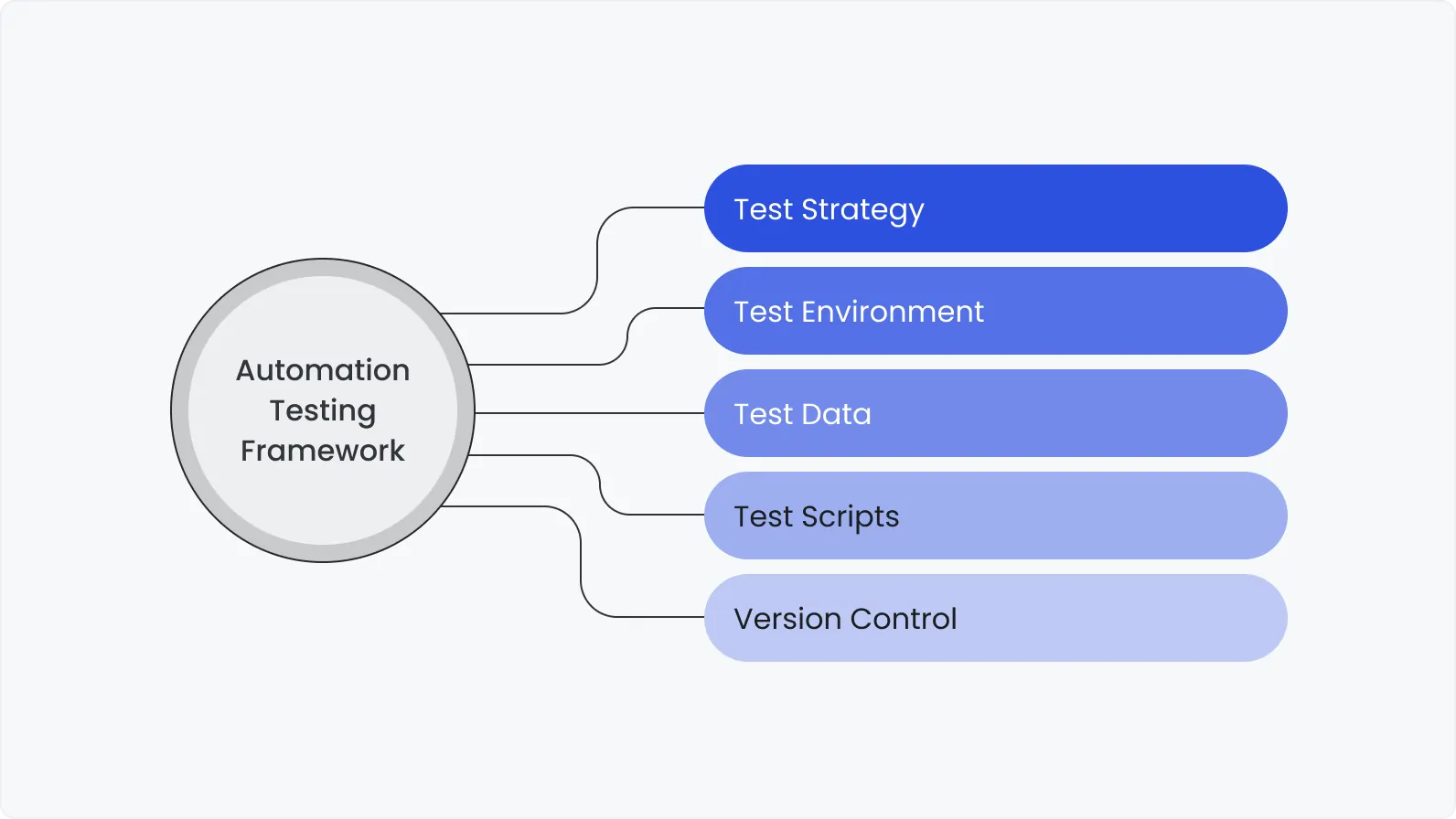
1. Discovery and assessment
The provider reviews:
Product architecture.
Business-critical workflows.
Existing test cases.
Current automation assets.
Release frequency.
Defect history.
Supported browsers and devices.
APIs and integrations.
Test environments.
Test-data constraints.
CI/CD pipelines.
Security and compliance requirements.
The output should be a prioritized plan, not a generic recommendation to automate everything.
2. Pilot project
A pilot tests the proposed architecture against real product risks.
A good pilot includes a small but representative set of scenarios – for example, one critical UI journey, related API checks, automated data setup, parallel execution, CI integration, and reporting.
It should answer:
Can the tool handle the product?
Are the tests stable?
How will data be created?
How long will execution take?
Can failures be diagnosed quickly?
Does the framework work in the client’s pipeline?
Is the expected maintenance model realistic?
3. Automation strategy
The strategy defines:
Business goals.
In-scope products and platforms.
Tests to automate first.
Tests that should remain manual.
Test pyramid or layer distribution.
Environments and data.
Framework and tool choices.
CI/CD triggers.
Reporting.
Ownership.
Metrics and service levels.
Maintenance and exit plans.
4. Framework implementation
The provider builds reusable components for:
Configuration.
Authentication.
API clients.
Page or screen objects.
Data creation.
Environment selection.
Parallel execution.
Retries.
Logging.
Screenshots and traces.
Reporting.
Browser and device selection.
Secrets management.
A framework should make new tests easier to add without hiding so much behavior that failures become difficult to understand.
5. Test implementation
Tests are added by risk and business value.
A common sequence is:
Build verification and smoke tests.
Critical customer journeys.
Stable regression scenarios.
API business logic.
Browser and device combinations.
Integration and contract tests.
Performance and other specialized coverage.
6. CI/CD integration
Different suites should run at different moments.
Pull request
Fast API, component, and selected UI checks
Build
Smoke and critical regression tests
Nightly
Broader functional and compatibility coverage
Pre-release
Risk-based regression and release validation
Scheduled
Performance, extended browser/device, and long-running tests
Production
Safe smoke and synthetic monitoring
Running every test on every commit usually creates slow pipelines and ignored failures. TAaaS should establish a layered feedback model.
7. Maintenance and optimization
The provider monitors:
Failed and flaky tests.
Execution duration.
Obsolete coverage.
Product changes.
Framework dependencies.
Infrastructure usage.
Test-data failures.
Browser and operating-system updates.
Coverage gaps revealed by production defects.
Automation is a maintained software product. It needs code reviews, version control, refactoring, documentation, and technical ownership.
Setting up a TAaaS environment
Environment design often determines whether the automation suite becomes reliable or frustrating.
1. Separate test logic from environment configuration
URLs, credentials, feature flags, database connections, and service endpoints should be supplied through secure configuration rather than hard-coded into scripts.
The same suite should be able to run against approved environments without source-code changes.
2. Make environments reproducible
Containers and infrastructure automation can reduce differences between local and CI execution. Reproducibility is more valuable than an environment that happens to work on one engineer’s machine.
A scalable TAaaS setup may include:
Containerized test runners.
Ephemeral environments.
Cloud browser or device platforms.
Parallel workers.
Dedicated test accounts.
Automated data seeding and cleanup.
Centralized logs and reports.
Secure secrets storage.
Monitoring for infrastructure failures.
3. Isolate test data
Tests should not depend on records created manually or by another test. Where possible, each scenario should create its own data through an API or controlled database utility.
Data isolation enables parallel execution and prevents false failures caused by shared state.
The World Quality Report found that 60% of organizations struggle with secure, scalable test data. This is one reason a TAaaS proposal that discusses frameworks but says little about data should be treated cautiously.
4. Distinguish test failures from environment failures
Reports should identify whether a failure came from:
Product behavior.
Test code.
Data setup.
Network or infrastructure.
Third-party dependency.
Browser or device platform.
Configuration.
Without this separation, teams spend hours investigating false alarms and eventually stop trusting the suite.
5. Monitor the test infrastructure
Track queue time, execution duration, worker utilization, environment availability, failure causes, and external-service health.
Self-healing infrastructure can restart failed workers or replace unavailable containers. It should not silently change selectors or expected results simply to make tests pass.
DeviQA insight: Parallel execution is useful only after data and environment isolation are solved. Running unstable tests on 20 workers makes unreliable feedback arrive faster; it does not make the suite reliable.
How to select TAaaS tools
Tool selection should follow product risk and architecture.
1. Evaluate product compatibility
Confirm support for:
Required browsers and devices.
Native, hybrid, or web applications.
Multiple tabs, domains, frames, or windows.
File upload and download.
Authentication methods.
APIs and protocols.
Desktop or legacy components.
Visual testing.
Accessibility checks.
Performance scenarios.
2. Assess team fit
A tool should match the languages, debugging practices, pipeline, and maintenance capabilities of the people who will own it.
A technically powerful framework can still be a poor choice if only the provider understands it.
3. Consider execution and scaling
Check:
Parallel execution.
Sharding.
Cloud-grid support.
Container support.
Pipeline integrations.
Device availability.
Reporting.
Retry controls.
Trace and video support.
Execution cost.
4. Examine long-term maintainability
Important questions include:
How active is the framework?
Is the project dependent on proprietary features?
Can the client run the suite independently?
Are upgrades documented?
Is the code readable and reviewed?
Can another engineer extend it?
What happens if the provider changes?
5. Open-source, commercial, or custom?
Open-source
Flexible, transparent, broad ecosystem, no framework license fee
Internal expertise and maintenance are still required
Commercial
Vendor support, hosted infrastructure, built-in reporting and device access
License cost and possible vendor lock-in
Custom framework
Tailored to product architecture and workflow
Can become complex or dependent on its original authors
Hybrid
Combines open-source automation with commercial infrastructure or reporting
Requires clear ownership across several tools
The best stack is usually the smallest one that covers the required risks. Adding a new tool for every testing problem increases training, integration, and maintenance costs.
TAaaS vs in-house automation vs traditional outsourcing
Primary purchase
Managed automation capability and outcomes
Employees and internally owned capability
External engineering capacity
Strategy ownership
Provider or shared
Internal team
Usually client-led
Framework ownership
Defined by contract; should remain accessible to the client
Client
Varies
Infrastructure
Provider-managed, client-managed, or hybrid
Client
Usually client-managed
Maintenance
Included in the service scope
Internal responsibility
Depends on contracted hours
Scaling
Capacity can change with demand
Requires hiring or reassignment
Additional people are requested
Management effort
Lower if service levels are clear
High
Medium to high
Domain knowledge
Must be transferred to the provider
Retained internally
Shared with external engineers
Best fit
Companies seeking a managed automation function
Products with stable long-term automation demand and strong internal expertise
Teams that already have leadership but need more implementation capacity
Main risk
Vendor dependency or unclear ownership
Hiring cost and skill bottlenecks
Paying for activity without clear outcomes
The terminology is not standardized. Some vendors call team augmentation “TAaaS,” while others provide full operational ownership. Evaluate the actual responsibilities rather than the label.
TAaaS pricing models
Fixed-price project
The provider delivers a defined scope for an agreed price.
Best for: Audits, pilots, framework setup, migrations, or a clearly defined group of tests.
Advantages: Predictable budget and deliverables.
Risks: Product changes or unknown technical constraints can trigger scope discussions. Maintenance is normally separate unless explicitly included.
Time and materials
The client pays for the time used by automation engineers and other specialists.
Best for: Evolving products, uncertain scope, and ongoing development.
Advantages: Flexible priorities and easier adjustment.
Risks: The client carries more budget uncertainty and needs visibility into productivity and outcomes.
Dedicated team or capacity subscription
A defined group of engineers is assigned for a recurring monthly fee.
Best for: Continuous automation across a substantial roadmap.
Advantages: Stable product knowledge and predictable capacity.
Risks: Capacity may be underused during quiet periods unless the scope includes maintenance, optimization, and coverage analysis.
Managed service
The provider operates automation against agreed service levels and outcomes.
The fee may include strategy, implementation, execution, maintenance, reporting, and infrastructure management.
Best for: Companies that want the provider to own the automation function.
Advantages: Accountability can be tied to stability, feedback time, coverage, and service availability.
Risks: Poorly defined metrics may encourage the provider to optimize superficial numbers such as script count.
Hybrid model
Many engagements combine a fixed-price discovery or pilot with a recurring managed service or time-and-materials phase.
This allows both parties to validate the architecture and estimate maintenance demand before committing to a larger program.
Costs that should be made explicit
Ask whether the proposal includes:
Framework development.
Test implementation.
Maintenance.
Failure analysis.
Test-data utilities.
CI/CD work.
Cloud browser or device fees.
Performance infrastructure.
Commercial tool licenses.
Reporting.
Security review.
Documentation.
Knowledge transfer.
Travel or on-site work.
Transition or termination support.
A low script-development rate can produce a high total cost if maintenance, infrastructure, and investigation are billed separately.
How to measure TAaaS performance
The number of scripts is easy to count but rarely proves value.
Use a balanced set of metrics.
Critical-flow automation coverage
Whether the most important product risks are protected
Regression duration
How quickly a release decision can be made
Time to first feedback
How soon developers learn that a change caused a failure
Flaky-test rate
Whether test results can be trusted
Test failure classification time
How quickly the team identifies product, test, data, or environment failures
Defect escape rate
Whether important defects still reach production
Automated detection rate
How many relevant defects are found by automation before release
Maintenance effort
How much work is required to keep the suite current
Pipeline pass reliability
Whether automation supports or blocks delivery appropriately
Execution cost
Infrastructure and license cost per useful test cycle
Obsolete-test rate
Whether the suite is regularly reviewed
Release frequency supported
Whether automation removes a delivery bottleneck
Do not judge a provider by a single coverage percentage. Clarify whether “90% coverage” refers to requirements, test cases, features, API endpoints, code, or regression checks.
TAaaS examples from DeviQA projects
These results are not universal benchmarks. They demonstrate how framework architecture, parallel execution, API coverage, environment design, and maintenance affect automation outcomes.
CipherHealth: building automation across web, mobile, and API
Before DeviQA joined CipherHealth, smoke and regression testing were manual, new features lacked automation coverage, and tests ran in a single thread and one local environment.
The engagement produced:
More than 1,400 automated web scenarios.
More than 100 automated mobile scenarios.
Over 250 API tests.
More than 50 automated jobs.
Parallel execution across up to 20 threads.
Execution across four environments.
Ten-minute automated smoke testing.
Five-hour automated regression.
More than 240 successful releases.
During the first seven months, more than 700 application tests were executed, and the client reported a 35% reduction in production bugs. Overall regression became ten times faster.
Insight: The result came from treating automation as a multi-layer system. Browser scripts alone would not have produced the same feedback speed without API coverage, parallel execution, CI/CD, environment support, and ongoing analysis.
Allego: modernizing a large, outdated suite
The Allego project began with an obsolete mobile framework, limited device coverage, no test parallelization, and incomplete automation across product modules.
Before the engagement:
Regression required more than 70 hours.
Smoke testing required more than 20 hours.
Fewer than 300 web tests existed.
Fewer than 100 mobile tests existed.
Only one iOS and Android version was supported.
After modernization:
Regression fell to 18 hours.
Smoke testing fell to four hours.
More than 5,000 automated scenarios covered web and mobile.
Approximately 95% of regression checks were automated.
Five recent iOS and Android versions were supported.
Execution used five parallel threads.
The number of detected blocker and critical defects increased 2.5 times.
The team also implemented a system that checked whether automated tests remained relevant.
Insight: Test automation debt resembles product-code debt. Migrating frameworks, removing obsolete checks, improving test management, and monitoring relevance can create more value than continuing to add scripts to a legacy suite.
Xola: connecting automation to release frequency
For the Xola booking platform, DeviQA created more than 3,200 automation scripts with over 8,300 checks.
The solution included:
Regression automation for six applications.
Six CI pipelines.
More than 70 parallel threads.
Independent tests.
API-based data creation.
Clear HTML reporting.
Two-hour regression execution.
Detection of 75% of bugs during development.
The resulting feedback supported one or two production releases per day.
Insight: Release frequency is a more meaningful outcome than test volume. Thousands of tests have limited value if they finish after the release decision has already been made.
What our TAaaS experience suggests
Automate feedback, not documentation
A manual test case does not automatically deserve an automated equivalent. The first candidates should be scenarios that are high-risk, repeatable, stable, and needed frequently.
Build data utilities early
Test data is often treated as an implementation detail. In practice, it determines whether tests can run independently, in parallel, and across environments.
The World Quality Report’s finding that 60% of organizations struggle with secure, scalable test data matches a recurring implementation reality: many “test failures” are actually data failures.
Keep ownership visible
Every failed test, framework component, environment, and report should have an owner. Managed service does not mean invisible service.
The client should understand:
Where the code is stored.
Who can approve changes.
Who investigates failures.
Who pays for infrastructure.
How metrics are calculated.
How the suite will be transferred.
Optimize for trust before coverage
A small suite that fails only for understandable reasons can protect a release. A large flaky suite teaches teams to ignore red builds.
Stability, diagnosis time, and relevance should improve before the provider expands coverage aggressively.
Use AI with controls
The World Quality Report found that 43% of organizations were experimenting with generative AI in QA, but only 15% had scaled it enterprise-wide. Reported barriers included integration complexity, privacy risks, and reliability concerns.
A TAaaS provider may use AI for draft test generation, log analysis, code review, maintenance suggestions, or synthetic data. The provider should still disclose where AI is used, review its output, protect client data, and measure whether it creates real productivity gains.
Checklist for choosing a TAaaS provider
Expertise and evidence
Has the provider built and maintained automation for comparable products?
Can it show results beyond the number of scripts?
Does it cover the required web, mobile, API, integration, and performance layers?
Can its engineers explain why a proposed tool fits the product?
Are case-study metrics supported by clear before-and-after conditions?
Strategy
Will the provider perform an assessment before implementation?
Does the proposal identify what should remain manual?
Are automation priorities tied to product risk?
Is there a realistic pilot?
Are success metrics defined before work begins?
Framework and code ownership
Will the client have repository access?
Are code review and version control required?
Is the framework documented?
Can another team maintain it?
Are proprietary dependencies disclosed?
Is there an exit and knowledge-transfer plan?
Environment and data
Who owns environment availability?
How will test data be created and removed?
Can tests run independently and in parallel?
How are secrets protected?
Are cloud-device and infrastructure costs included?
Can product failures be separated from environment failures?
Delivery process
Which tests run on pull requests, builds, schedules, and releases?
Who investigates failures?
How quickly must critical failures be classified?
How are product changes communicated?
How are flaky and obsolete tests managed?
What reports will stakeholders receive?
Security and compliance
Does the provider follow relevant security practices and certifications?
Is client data isolated?
Is production data avoided or properly masked?
Are access rights reviewed?
Is AI usage governed?
Are audit logs available where required?
Commercial terms
Does the fee include maintenance and failure analysis?
Are licenses and infrastructure itemized?
What happens when scope changes?
How can capacity be increased or reduced?
Are service levels measurable?
What assistance is provided at termination?
TAaaS provider red flags
Be cautious if a provider:
Promises a fixed automation percentage before assessing the product.
Measures success only by script count.
Recommends a tool without reviewing the architecture.
Proposes automating the complete manual suite.
Ignores test data and environments.
Treats retries as the primary solution to flaky tests.
Keeps the framework in a repository the client cannot access.
Cannot explain who maintains tests after delivery.
Uses proprietary accelerators without an exit plan.
Offers AI-generated automation without code review or data-governance rules.
Avoids defining failure-investigation responsibilities.
Has no knowledge-transfer process.
Final thoughts
Test Automation as a Service is most useful when a company needs more than additional script-writing capacity. It provides a way to establish or operate automation as an engineering function—with ownership of strategy, tools, infrastructure, data, CI/CD, maintenance, and reporting.
The strongest indicator of a successful TAaaS engagement is not how many tests the provider delivers. It is whether the team receives faster, more reliable information about product risk and can act on it before release.
If you need to build automation from scratch, replace an unstable framework, or operate testing continuously across web, mobile, and API layers, DeviQA’s test automation services cover strategy, framework development, CI/CD integration, execution, maintenance, and reporting.
See how your QA could grow with you
Frequently asked questions
What is the difference between TAaaS and test automation outsourcing?
Traditional outsourcing usually provides engineers who work under the client’s direction. TAaaS can provide a managed capability covering strategy, tools, framework, environments, implementation, maintenance, execution, and reporting.
In practice, vendors use the terms inconsistently, so compare actual responsibilities.
Does TAaaS replace an internal QA team?
Not necessarily. The provider may work alongside internal QA, development, DevOps, security, and product teams.
TAaaS is most effective when internal stakeholders provide domain knowledge and product priorities while the provider owns defined automation outcomes.
Can a company use TAaaS without existing automated tests?
Yes. Greenfield automation is a common use case. The engagement should begin with risk analysis, tool evaluation, a pilot, and framework architecture before large-scale test implementation.
Can a TAaaS provider take over an existing framework?
Yes. The provider should first assess architecture, stability, relevance, coverage, execution time, dependencies, and maintenance cost.
The right decision may be to improve, partially migrate, or replace the framework.
How long does it take to see value from TAaaS?
It depends on product complexity, access, environment stability, existing documentation, and the target test layers.
A focused pilot can usually demonstrate technical feasibility and initial feedback value before the complete suite is built. A provider should not promise a universal timeline without assessing the product.
Who owns the automated tests?
Ownership must be stated in the contract. Clients should generally retain access to the source code, documentation, reports, configurations, and framework assets required to operate the suite.
Does TAaaS include test maintenance?
A managed TAaaS engagement should include maintenance. Fixed-scope framework or implementation projects may price it separately.
Confirm how product changes, framework upgrades, flaky tests, and obsolete scenarios are handled.
Is TAaaS cheaper than an in-house automation team?
It can reduce recruitment, training, infrastructure, and specialist-capability costs, especially when automation demand changes over time.
However, the lowest-cost provider is not necessarily the least expensive option. Unstable tests, vendor lock-in, and weak maintenance can create a high total cost.
Can TAaaS cover manual testing?
TAaaS focuses on automation. Manual, exploratory, usability, and other human-led testing belong to the broader Testing as a Service model or a combined QA engagement.
How should a TAaaS pilot be evaluated?
Evaluate whether the pilot:
Covers a meaningful product risk.
Runs in the intended environment.
Creates its own test data.
Integrates with CI/CD.
Produces understandable reports.
Runs reliably several times.
Can be maintained by someone other than its author.
Demonstrates a measurable improvement in feedback.
About the author
Chief Technology Officer
Dmitry Reznik is the Chief Technology Officer and co-founder at DeviQA, bringing deep technical expertise across software architecture, implementation, and long-term system operation.