
Written by: Senior QA Engineer
Mykhailo RalduhinUpdated: 13.02.2025
18 min read
Think back to August 2012. It was the time when the largest US trader Knight Capital Group rolled out its nevalty — new trading system. But oops — this move led to a loss of USD 440 million in 45 minutes due to a critical bug in the trading algorithm. Yeah, that kind of thing happens when software testing takes a backseat. It's a hard lesson, but it drives home the importance of thorough software testing—especially when it comes to enterprise resource planning (ERP) systems.
ERP systems are the nerve centers of many businesses. But at the same time, the 2017 Gartner’s report states that about 75% of ERP implementations fail to achieve initial goals. The Panorama Consulting Solutions report echoes this statement, with 81% of ERP projects achieving expected ROI only by the second year after launching.
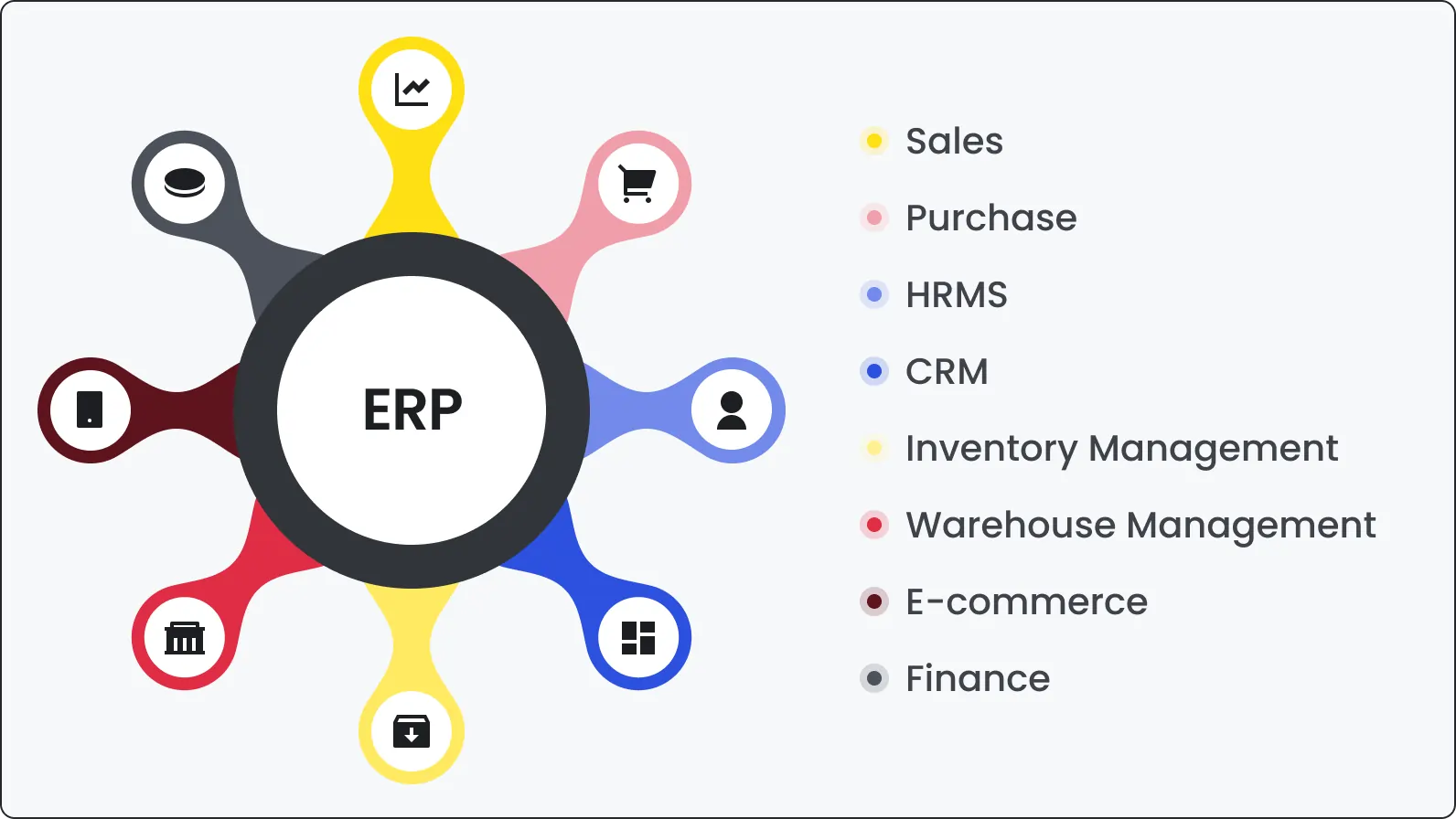
Since ERP systems handle everything from finances to supply chain management, their testing must become a top priority. Because if they go haywire, things can get messy really fast. That's where ERP testing steps in. It's the art of putting those systems through their paces, catching bugs and glitches before they wreak havoc on your operations.
Yesterday’s failures guide us toward a future where ERP testing isn't one of the best practices; it's an indispensable cornerstone of successful enterprise software development.
What is ERP testing?
ERP software testing is the process when testers assess the overall performance of an enterprise resource planning system. They check if the software’s functionality, performance, and security are good enough. Usually, this process goes beyond conventional software testing when testers check the interplay of different units of the program, etc.
Above, we’ve stated ERP as the nerve center of the business. Pulling further this comparison, such a nerve center needs a thorough checkup to avoid anxiety, PTSD, and similar stuff in the future.
This is especially crucial for businesses in manufacturing, retail, healthcare, and finance, where a system glitch could trigger a domino effect of disruptions.
ERP assessments are the backbone of organizational operations, from manufacturing and finance to human resources and customer relations.
Consider a manufacturing company implementing a new ERP system to streamline production processes. ERP testing in this context would involve validating the system's ability to manage inventory, handle procurement, and synchronize production schedules. The consequences of inadequate testing will obviously lead to disrupted production, failure to meet deadlines, and financial losses.
ERP Testing Impact Example
Recall a case of Hershey's in 1999. The chocolate giant implemented a new ERP system just before the Halloween season. Yet, testers didn’t accomplish their duties, and the system failed to manage the surge in demand. To be completely accurate, the testers were actually doing everything right (probably), but management was in a hurry to roll out the system ahead of schedule. Instead of the supposed 48 months, they started using it after 30 months of testing.
The consequences were fatal: the system could not withstand the increased load and failed. Hershey’s quarterly profits sagged by 19%, and the stock fell by 8%.
This example underscores the profound influence ERP testing can have on business outcomes.
ERP testing importance
Enterprise software development may seem an intricate and confusing thing. So does an ERP software testing. But still, it remains a paramount link in the chain of business operations. Let’s set out all the difficult for understanding moments.
Functionality assurance: Testing ERP ensures that all components within an ERP system function as you planned. Financial modules provide secure transactions, and the supply chain isn’t interfered with by unpredictable events.
Reliability enhancement: Reliable ERP systems are the backbone of efficient organizational processes. For this reason, enterprise resource planning software testing should ensure a sufficient level of reliability and preparedness for real-world overloads without faltering.
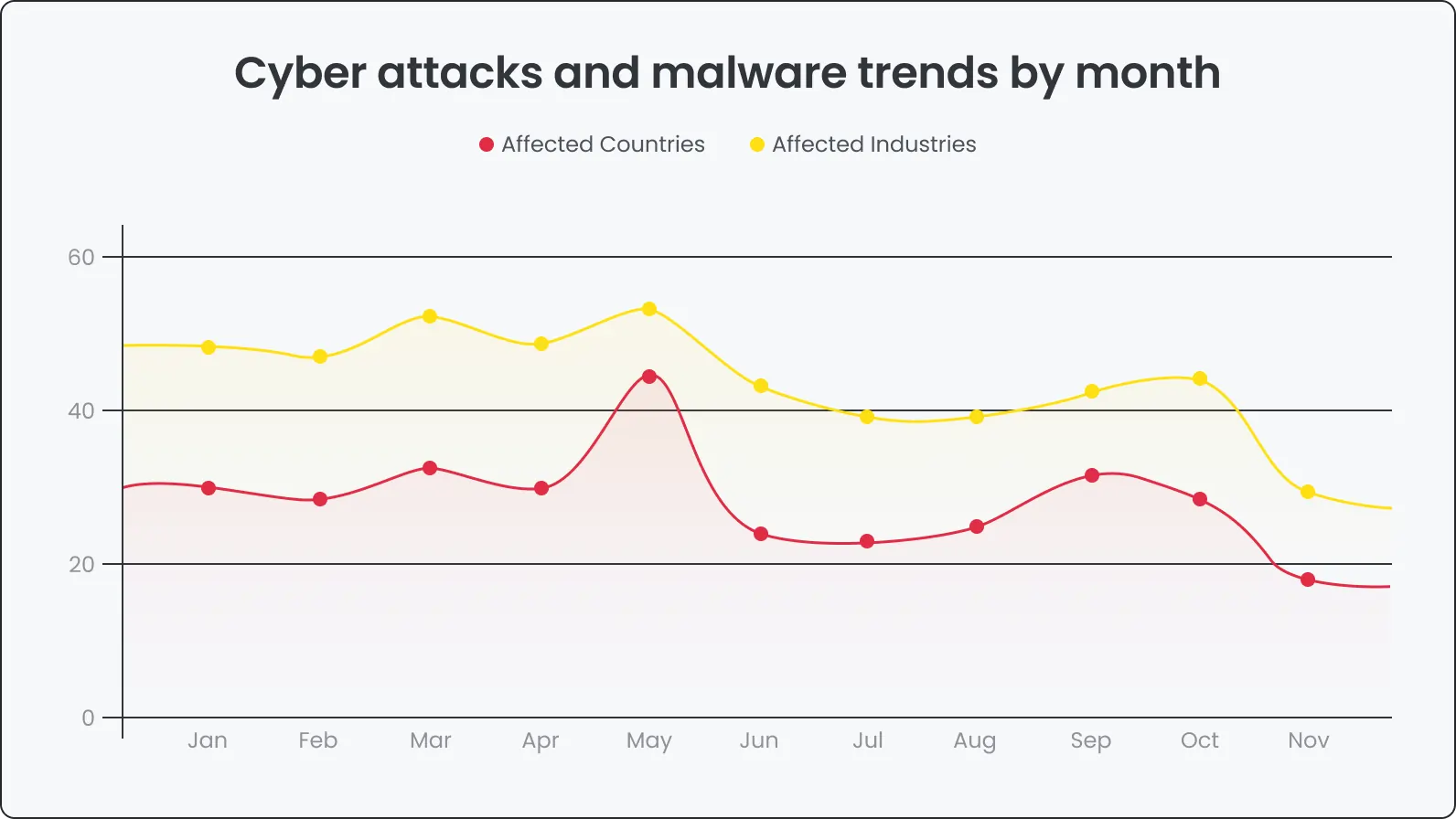
Security validation: You’ve definitely heard about the most resonating data breaches in 2023. Samsung, 23andMe, MailChimp — many reputable companies suffered from cyber attacks and failed in “security battles”. IBM Research screams that in 2022, the average cost of a data breach in the healthcare industry was USD 10.1M. And guess what country led the race? Yep, it’s the USA. As you already understand, ERP systems store and process sensitive business data. So ERP testing can’t be put away for better times.
Never, never neglect ERP testing
Operational disruptions: Inadequate testing can lead to unexpected system failures, causing operational disruptions that ripple across various departments.
Financial implications: ERP failures can result in financial losses, as the Hershey case exemplifies. Unfulfilled orders, delayed deliveries, and disrupted processes can incur significant costs.
Reputation damage: A flawed ERP system can tarnish an organization's reputation, eroding customer trust and loyalty.
Positive implications
In 2018, Aberdeen Group rolled out research about ERP implementation. The most exciting stats is that companies investing in ERP testing experience a 50% reduction in post-deployment issues and, with ERP, time to ROI is 26% shorter. Prioritizing ERP testing in the software development life cycle leads to positive changes if performed correctly.
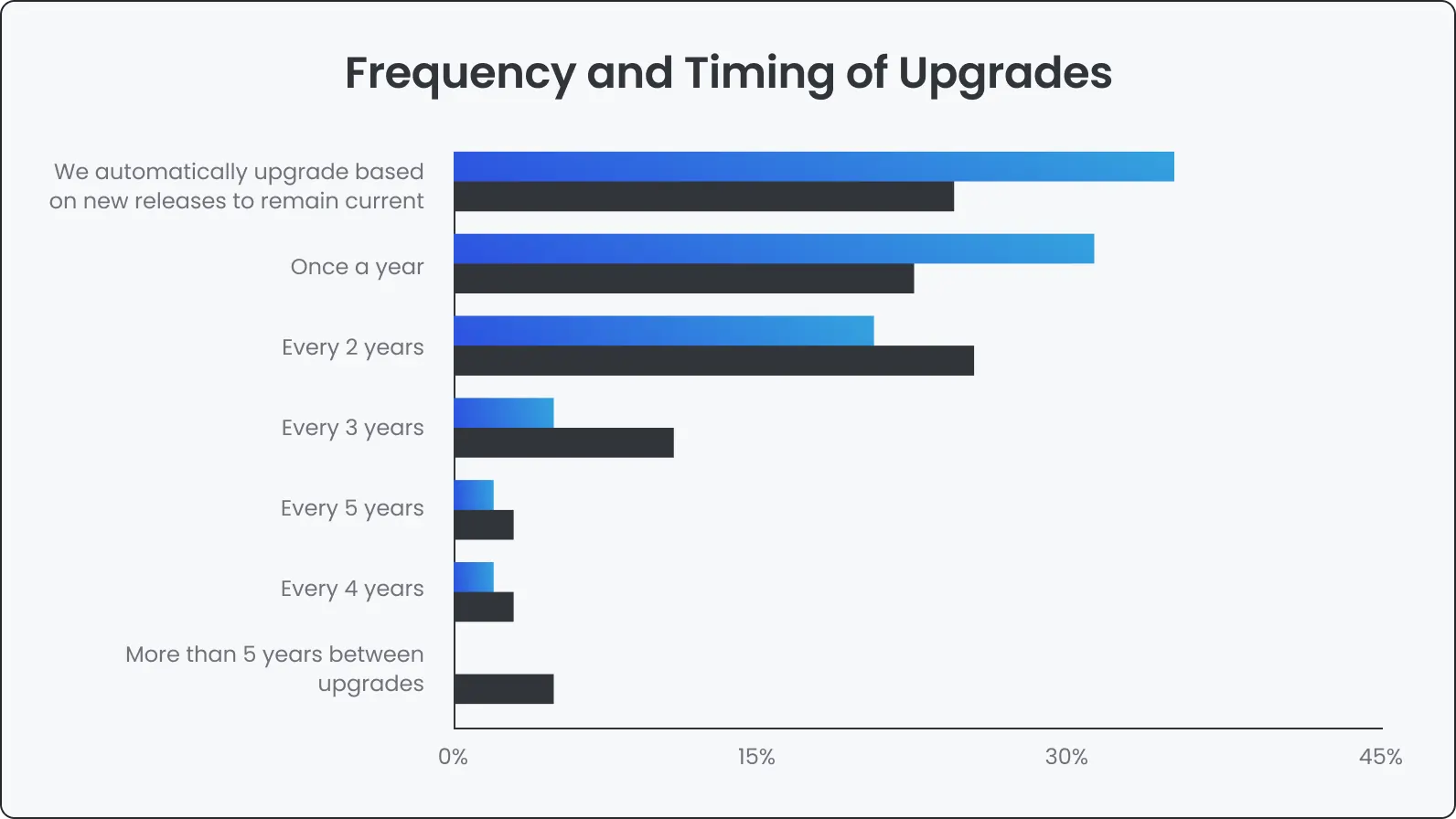
Ignoring software testing can have dire consequences. Glitches, crashes, data breaches — if you don’t want to end up like a healthcare.gov project, don’t skimp testing. Investing in it saves and protects your business, ensuring smooth operations and happy customers.
Types of ERP testing
It’s crucial to understand that ERP testing is a multifaceted discipline, and it doesn’t (even can’t) have a strict set of test types. It unites various types to address the diverse aspects of an ERP system. So those explained below are only the most popular ones.
Integration testing
Checks if the different parts of the ERP system work together. It confirms that data moves correctly between modules. Include a range of real-life scenarios in your tests to catch unexpected issues.
Functional testing
Verifies that each function in the ERP system works as intended. Each feature is tested against its requirements and the workarounds used during development.
Performance testing
Evaluates how the ERP system handles different loads. This test measures speed, stability, and performance under both heavy use and normal conditions. A wide set of test cases helps cover various situations.
Recovery testing
Checks the system’s ability to recover after failures. It looks at how the system performs during normal operation, during a failure, and while rebuilding data and processes. Sometimes extra stress is applied to see how quickly it returns to normal.
Security testing
Looks for vulnerabilities to protect sensitive data. It examines access controls, encryption, and other safety measures. Larger projects might even use bug bounty programs to find issues.
Usability testing
Assesses whether the ERP system is simple and easy to use. Gathering user expectations before testing helps ensure the system meets their needs. Even a system with many features can fail if users do not accept it.
Regression testing
Checks that new changes do not break existing functions. Since code updates can cause side effects, regression testing is needed to catch any problems that might arise.
Generally speaking, each type of testing plays a significant and even irreplaceable role in safeguarding your ERP system's health. Combine these methods to create a multi-layered defense against glitches, crashes, and security threats. Don’t change sewed on soap, use any possible testing for better results.
What is automated ERP testing?
Automated ERP testing uses software tools to run tests on ERP systems without manual work. These tests use scripts to check that functions, data transfers, and processes work correctly. Running tests automatically helps catch errors early and ensures that updates do not cause problems with existing functions. This approach saves time and resources compared to manual testing and makes it simpler to maintain system quality.
What are the benefits of ERP testing?
ERP testing does more than check for potential pitfalls—it brings extra advantages that improve your system and lower risks. In simple terms, ERP testing helps catch issues early, supports smoother operations, cuts down on unexpected costs, and builds confidence in your ERP setup. Here are 7 benefits of ERP testing:
Increases ROI
Surprised? You have probably thought that ERP testing is about expenses. To an extent. It’s rather an investment. Investment into bug-free software and smooth business operations. Think for a minute about potential losses caused by a buggy system. Early detection of flaws saves you money, ensuring you won’t end up like 23andMe.
Boosts user satisfaction
Quite a logical conclusion. As we mentioned before, usability is a part of ERP testing. So after successfully completing all the tests scope, rest assured the system is intuitive and user-friendly. These moves obviously contribute to increased user satisfaction and productivity.
Mitigates business risks
ERP assessments allow testers to identify and then address vulnerabilities. In the age of data breaches and terrifying data loss, ERP testing serves as a safeguard or the bouncer at the entrance to the bar.
ERP systems performs better
You probably have noticed that in these sections we are moving from integration to regression testing stopping off each test type. Well, performance testing also is a part of our journey. It enables ERP testers to identify and rectify bottlenecks. Consequently, at the end of the day, you get functional software.
Helps to avoid post-deployment issues
An all-around ERP testing process, including repeatedly double-checking, significantly reduces the possibility that you’ll encounter problems after deployment. This, in turn, minimizes the need for reactive measures and costly system downtimes.
Enhances data accuracy
It’s obvious that all testers should gather test data very carefully. In addition, a well-tested ERP system gives a solid foundation for future growth — with the project evolving, you’ll be able to scale, integrate further, and expand since you have laid great groundwork.
Sustain your business
Watch the logic: you test the ERP system thoroughly - employees find the system user-friendly and reliable - they embrace it effortlessly since all the processes are clear as a day - employees maximize the system’s benefits - you get doubled results. User acceptance testing ensures a smooth transition and eases off user buy-in, which leads to better system utilization and, hence, increased ROI. A proactive position in ERP testing contributes to business continuity, preventing disruptions and financial or reputational losses.
- Bonus: impact on example
Panorama Consulting Solutions conducted research and found that investments in ERP testing provide companies with a 33% reduction in ERP implementation durations. A cut-out proof that prioritizing testing in the ERP deployment lifecycle yields better results.
What is the basic process for ERP testing?
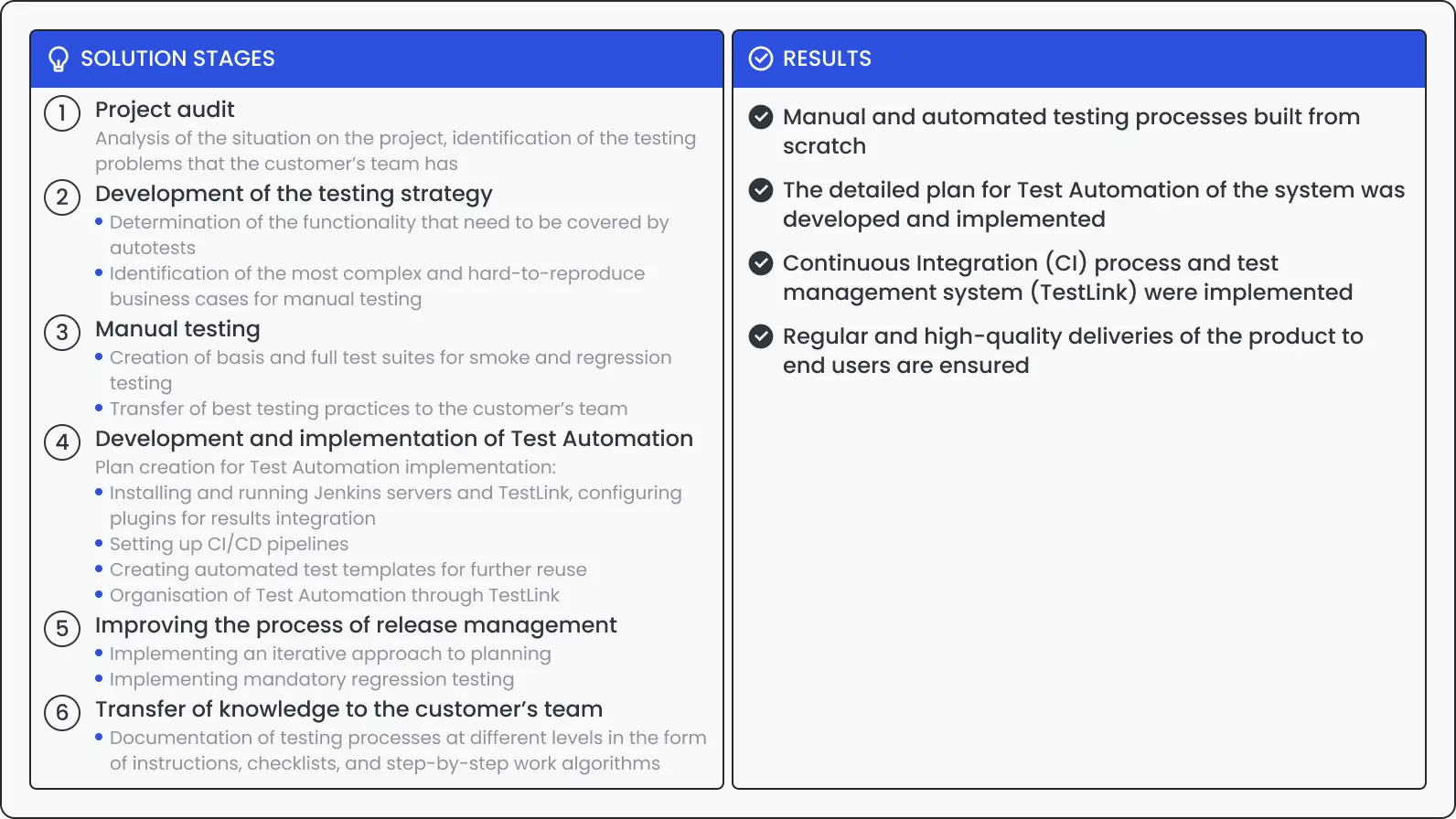
At first glance, the ERP testing process seems like a confusing and complicated thing. And it is if you do it for the first time. But at DeviQA, we are used to it and consider it a journey. In this section, we’ll lead you through the fundamental steps of the ERP testing process, stopping off at significance point, nuances point, and other “bus stops” that show nuances. Because the devil is in the details. So, give us your hand if you are ready to head off.
- Step 1: Requirement analysis
There is a casual proverb — without a technical assignment the result is going to be confusing. In other words, you can’t get to the final point if you don't even know where you are heading. Understanding the ERP system's requirements is a must-have. Ask around your stakeholders to gather insights into the expected functionalities and performance benchmarks.
- Step 2: Test planning
Develop a comprehensive test plan outlining the testing scope, including the modules and features to be tested, objectives, resources, and timeline. This phase is crucial for aligning testing efforts with overall project goals. Identify success criteria — another important tip because we all have different meanings of the end result. So, it would be great to get on the same page. Allocate resources and create a testing schedule. Then, select appropriate testing tools and methodologies.
- Step 3: Test case design
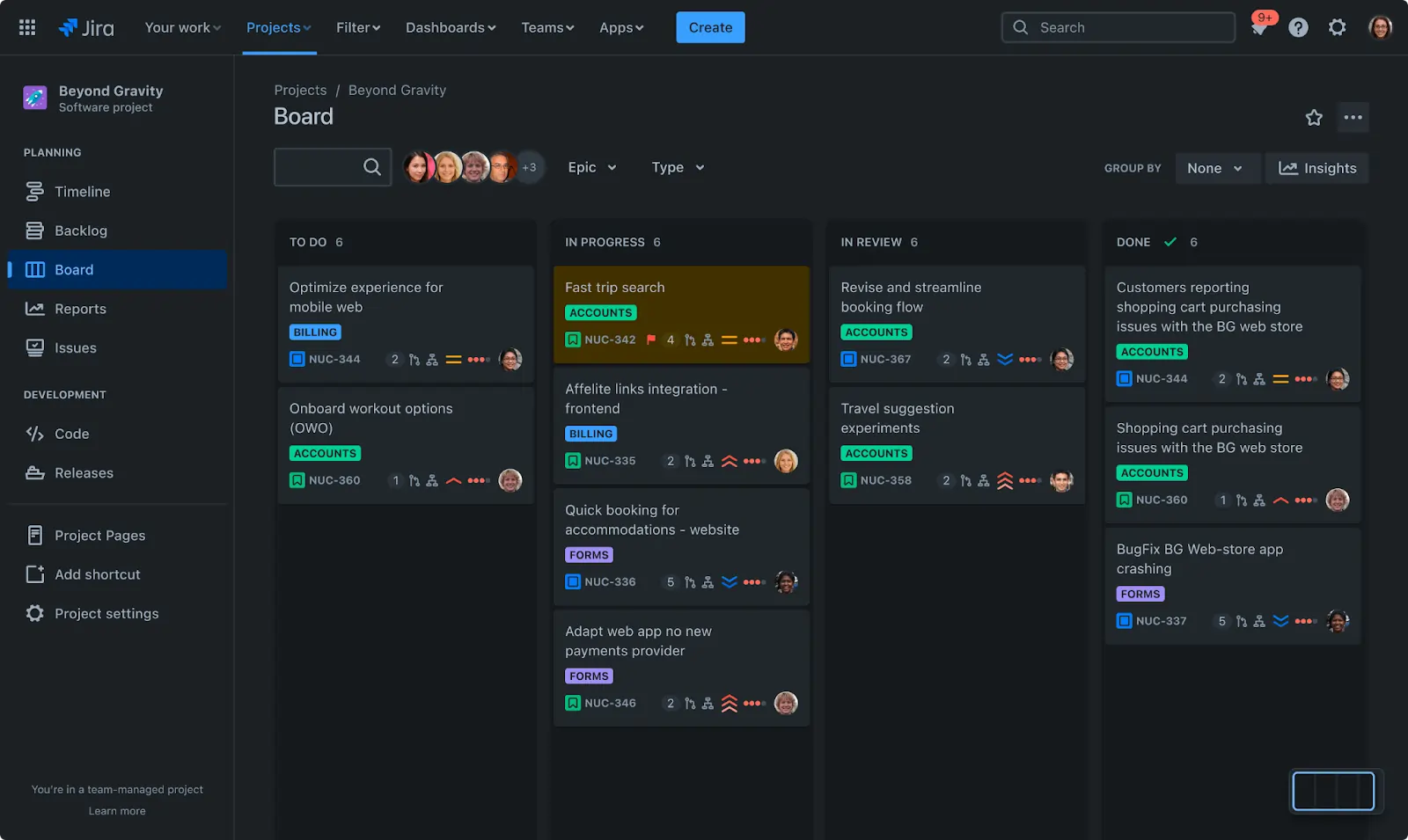
Create detailed test cases based on the identified requirements. Each test case should cover specific scenarios to ensure thorough testing coverage. Make sure to consider positive, negative, and boundary cases. Prioritize test cases based on risk and importance. Use any test management tool to organize and track test cases; we use Jira, but you can choose any other that suits your needs, like TestRail or QACoverage.
- Step 4: Environment setup
Your task in this step is to mirror the real production environment as closely as possible. Configure the testing environment appropriately. Set up test data that accurately reflects real-world scenarios and configure hardware and software to match production specifications. We can also include in this step populating the ERP system with relevant and realistic data. Maybe it’d be better to divide these processes with the previous ones but, to be honest, it’s not the utter importance. Just ensure that the testing scenarios mimic real-world usage, supplying you with accurate insights into the system's performance.
- Step 5: Test execution
The easiest part, right? To be more serious, it’s paramount to execute the test cases according to the predefined test plan. Don’t forget to record test results and observations — would be very helpful in the future steps. Log defects and track their resolution. And as a cherry on the cake, retest fixed defects to ensure they are resolved effectively.
- Step 6: Defect reporting
If issues or defects are identified during testing, they must be meticulously documented and reported. Clear and detailed defect reports facilitate efficient communication and resolution. Assign defects to developers for fixing. Track defect resolution and retesting status. By the way, all these sub-steps could be taken in Jira. Very convenient (and very popular, though) tool.
- Step 7: Regression testing
In some meanings, this step doubles the previous phases because we have already mentioned checking if the code changes affected the functionality of the software. But still, after resolving identified defects, conduct regression testing to ensure that new changes haven’t tipped up everything in your features set. This iterative process is crucial for maintaining system integrity. At DeviQA, we automate regression testing to save time and effort in subsequent testing cycles.
- Step 8: Performance testing
Evaluate the ERP system's performance under various conditions, including normal and peak loads. Performance testing provides insights into system scalability and responsiveness.
- Step 9: Security testing
If we can believe different reports, there were about 470 publicly announced security incidents in November 2023 only. Don’t want to end up like 23andMe, the Indian Council of Medical Research, and other reputable institutions? Great. Then, assess the ERP system's security measures. Identify vulnerabilities and ensure compliance with security standards. Or assign all this stuff to a reliable testing partner since this is probably the most important step in the whole process.
Nuances and pitfalls
Coordinating testing efforts across integrated modules can be complex, requiring meticulous planning to ensure thorough coverage. Also, managing realistic test data while respecting data privacy and compliance can be even more challenging. Testers must strike a balance between authenticity and data protection.
Tips for successful ERP testing
Easier said than done. However, setting out ERP testing requires maximum POVs, so it’d be great to receive some advice from seasoned professionals. Below, we have collected some essential tips that can transfer ERP testing from a routine process to a proactive and impactful phase in enterprise software development. Run through these tips when choosing a testing approach.
Involve stakeholders as early as possible
Create a set of stakeholders of all directions: internal and external. Engage them, if possible, including end-users, early in the testing process. This way, you’ll be able to gather insights into specific business scenarios and requirements from the very DMs and those who influence a product or service.
Lock-stock-and-barrel test coverage
Ensure that test cases cover a wide range of scenarios, including edge cases and real-world usage patterns. This helps in identifying potential issues before deployment.
Focus on critical business processes
Identify potential bottlenecks and prioritize testing for critical business processes. This ensures that high-impact functionalities are thoroughly vetted.
Data management strategies
Develop robust strategies for managing test data. This includes anonymizing sensitive data and establishing protocols for data refreshes.
Automation for repetitive testing
Leverage test automation for repetitive and time-consuming testing tasks. Automation accelerates the testing process while enhancing accuracy.
Scalability considerations
Design test scenarios that simulate both current and future scalability requirements. This provides insights into the ERP system's ability to grow with the organization.
Cross-functional collaboration
Foster collaboration between different teams, including developers, testers, and business analysts. Cross-functional insights contribute to a more holistic testing approach.
Documentation and traceability
Maintain detailed documentation of test cases, results, and any identified issues. This ensures traceability and facilitates efficient communication among team members.
User training and support
Provide training sessions for end-users to familiarize them with the ERP system. Additionally, establish support mechanisms for addressing user queries post-implementation.
Bonus: one more proof
Standish Group once found a very interesting thing — if you involve end-users in your processes, you’ll a 32% more likely to succeed. We can make allowances for the GEO of the study (East Africa), and still the results are worth listening to.
To sum it up
ERP testing is a paramount part of the entire enterprise software development life cycle. We’ve covered the importance of such testing, guides and tips for choosing the appropriate or approach, and backed up all the information with statistical proof. Let's reinforce the material with short theses.
Strategic Imperative: ERP testing can’t remain a formal step. It’s a matter of strategic vision for any business navigating the complexities of modern enterprise software.
Tangible Benefits: You’ll get reliability enhancement and mitigate risks — all thanks to comprehensive ERP testing. By the way, the benefits go beyond testing leg-ups and influence revenue directly.
Nuanced Process: The ERP testing process is nuanced, demanding early stakeholder involvement and comprehensive coverage.
And one more cherry on the cake — according to Panorama Consulting Solutions, when companies prioritize end-user support during ERP implementations, they experience a significant satisfaction rate increase among those end-users.
ERP Testing FAQ
What special challenges arise when testing cloud-based ERP systems?
Cloud-based ERPs require testing that covers data security, network reliability, and dynamic load handling. Testers need to simulate real-world network conditions and verify that data privacy and system updates work properly.
How do manual tests compare to automated tests in ERP systems?
Manual tests help verify usability and check features that rely on human judgment, while automated tests quickly run repeated scenarios with less error. A combined approach ensures both speed and thorough validation.
Which key metrics can be used to measure the success of ERP testing?
Metrics such as defect density, test coverage, response time under load, and post-deployment issue rates provide insights into the system’s performance and readiness.
What steps can an organization take to improve its ERP testing process over time?
Regularly updating test cases, investing in automation tools, and gathering feedback from end users can help refine the testing process. Training the team and reviewing outcomes also lead to gradual improvements.
What common obstacles occur during ERP testing and how can they be resolved?
Issues like poor test data quality, integration difficulties, and limited coverage can slow progress. Addressing these by establishing clear protocols, using reliable data management, and ensuring team collaboration helps resolve them.
How does the approach to ERP testing differ between industries like manufacturing and healthcare?
In manufacturing, testing focuses on real-time inventory management and production scheduling. In healthcare, the emphasis is on data security, regulatory compliance, and accurate patient record handling.
In what ways can AI or machine learning support ERP testing efforts?
AI and machine learning can analyze results to spot patterns and predict trouble areas. They help generate effective test cases, automate regression tests, and provide faster feedback on system updates.
What skills should a team have to effectively test an ERP system?
A good ERP testing team should understand the ERP’s core functions, have expertise in both manual and automated testing, and be familiar with integration and performance testing. They also need strong communication and analytical skills.
How can ERP testing help organizations meet regulatory and security requirements?
Thorough testing ensures that access controls, encryption, and data handling meet required standards. This reduces the risk of breaches and helps the system comply with legal and industry rules.
What role does continuous testing play in keeping an ERP system stable over time?
Continuous testing means regularly checking the system throughout its development and update cycles. This approach catches issues early, ensuring that new changes do not disrupt operations and that the system remains stable.
Ensure your business gets the most out of its ERP system with our comprehensive ERP testing services. Our certified testers go beyond functionality checks to identify and eliminate performance, security, and usability issues. We offer a wide range of services to fit your specific needs, from initial implementation testing to ongoing maintenance and support. Learn more about our ERP testing services.
Streamline, secure, and scale. Achieve peak performance with ERP testing
About the author
Senior QA engineer
Mykhailo Ralduhin is a Senior QA Engineer at DeviQA, specializing in building stable, well-structured testing processes for complex software products.