

You don’t need another buzzword. You need what works, consistently, under pressure, and at scale.
The pressure to release quicker, cut costs, and maintain quality is real, and growing. AI promises a lot in software testing. But the real challenge isn’t how to use AI. It’s how to do it without breaking the systems we’ve spent years building.
You already have frameworks, coverage, and processes that (mostly) deliver. What you need now is precision: knowing where AI can actually help, without creating new problems or undermining trust in our QA.
This isn’t a teardown. It’s an upgrade. In this guide, we’ll walk through how to implement AI in QA, without hype, without disruption, and without losing what already works.
Before you add AI in QA, fix the foundations
42% of survey participants are already using AI in their software development processes. For QA specifically, the promise is clear: faster cycles, fewer bugs, and smarter coverage. Sounds great, until the rollout hits reality. That’s the appeal of artificial intelligence in testing, and on paper, it sounds great.
Because when AI is introduced without context or caution, things don’t speed up. They break.
We’ve seen it play out: leadership buys the tool, installs the integration, and waits for the magic. Instead, they get flaky test noise, skeptical engineers, and another “pilot” shelved in six months. Not because the tech failed, but because it was forced into a system that wasn’t ready for it.
Here’s the truth most vendors won’t tell you: AI doesn’t replace broken processes. It magnifies them.
And when QA teams are already stretched, dropping in a black-box solution labeled AI for QA testing can do more harm than good. Morale suffers. Ownership blurs. And the next time someone suggests “let’s try AI,” the team just shrugs and goes back to maintaining XPath locators by hand.
That’s why integration must be intentional.
Done right, AI in QA becomes a precision tool, automating where it should, informing where it must, and staying out of the way when it can’t help. But that requires technical judgment, clear priorities, and honest evaluation of where your current QA efforts are helping… and where they’re just holding together with duct tape.
Before you start, make space for a question that too few teams ask:
What are we actually trying to improve, and how will we know if it’s working?
What AI actually does well in QA
AI isn’t here to take over your QA team, and it’s definitely not here to solve every testing problem in one sprint. What it does offer, when applied well, is focused acceleration of the work that already matters. It complements. It doesn’t replace it.
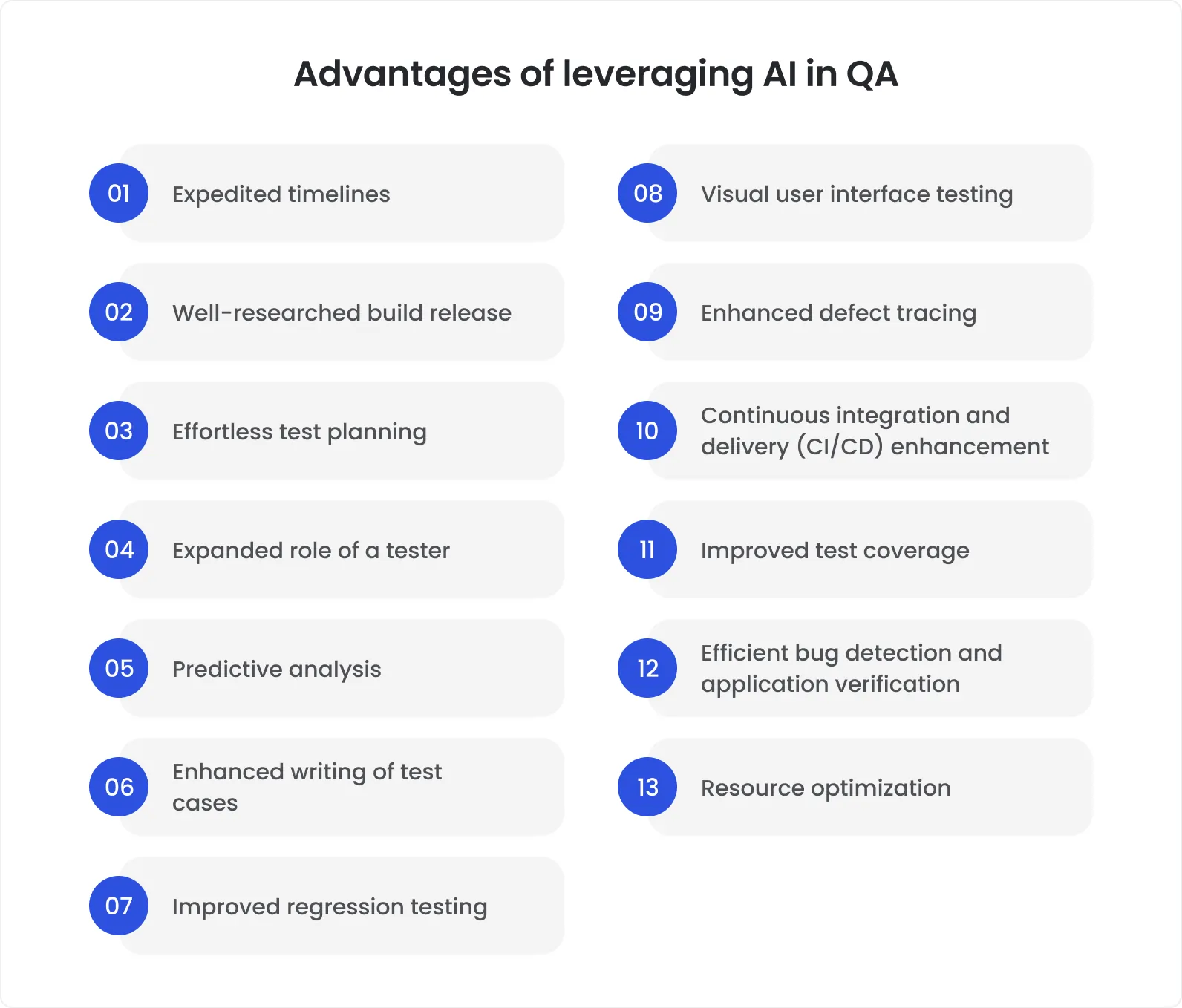
Let’s cut through the noise. Here’s where artificial intelligence in testing actually creates value:
Smart test case prioritization. AI analyzes recent code changes, test history, and usage patterns to flag which areas of the application are most at risk, so you stop running the entire suite for a single-line fix.
Flaky test detection (and quarantine). Instead of wasting hours triaging tests that fail “sometimes,” AI tools can tag unstable cases, rerun them with instrumentation, and surface the ones worth fixing, not just re-running.
Regression pattern recognition. AI identifies recurring bug clusters, missed edge cases, and noisy test failures, helping teams clean up debt before it accumulates into a release delay.
Script maintenance suggestions. Some tools now offer “self-healing” logic that updates selectors or alerts teams to outdated locators. Less time patching, more time building.
Synthetic data generation. Need test inputs for rare edge cases, error conditions, or low-bandwidth scenarios? AI can generate and mutate data intelligently, without the setup tax.
It’s not about blind test automation. It’s about relevance and resilience. For instance, Meta built a machine learning system that predicts which regression tests are most likely to catch bugs based on recent code changes. This allowed them to reduce the number of test runs by over 60% while maintaining product reliability. It’s a powerful example of how AI in testing can cut time without sacrificing quality.
And just as important as knowing where AI fits is knowing where it doesn’t:
Exploratory testing still needs human intuition.
Usability checks can’t be automated meaningfully, yet.
Compliance testing in regulated industries (finance, healthcare, etc.) still demands explainability and audit trails that AI alone can’t guarantee.
One more note for leaders: AI in QA is only as good as the data it learns from. If your logs are messy, test cases undocumented, and test IDs randomized per run, expect noise, not insight.
Used intentionally, AI becomes less of a shiny object, and more of a high-precision QA scalpel.
How to implement AI in testing (without breaking it)
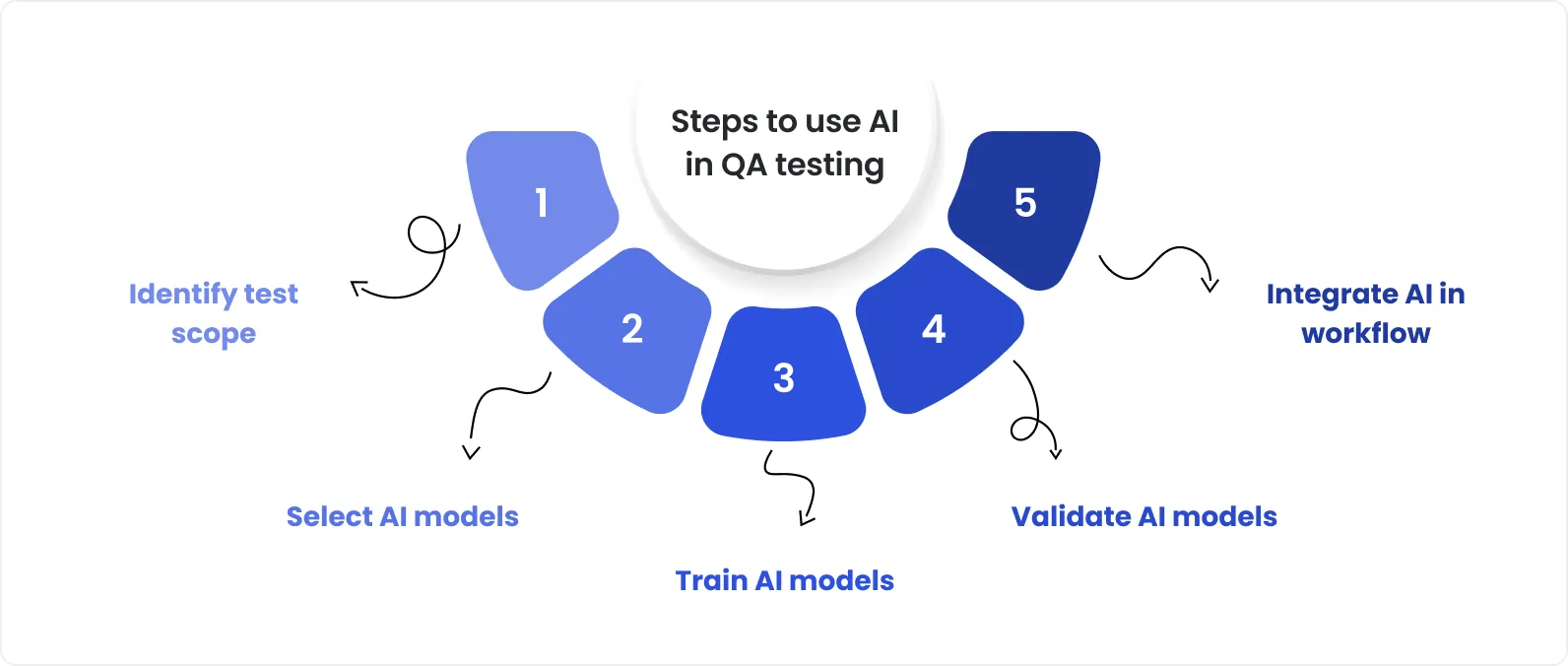
Rolling out AI in testing isn’t about flipping a switch, it’s about sequencing. The strongest teams treat it like any other engineering effort: scoped, reversible, and measured. No big bang, no broken pipelines, no burned-out QA teams.
Here’s a practical framework that’s worked across dozens of mature teams. Use it as a checklist, not a playbook, and adapt it to your org’s real-world constraints.
1. Assess current QA maturity and priorities
Don’t start with the tool. Start with the gaps.
Before introducing any AI solution, map your current QA landscape:
Where are you losing time?
What’s costing too much to maintain?
Where does flakiness hide real bugs?
How often are test results ignored due to noise?
This isn’t about inflating problems, it’s about identifying areas where AI in QA could reduce friction. Focus on things like:
Regression time per release
Hours spent maintaining test scripts
Percentage of skipped or flaky test runs
Cost per defect found late in the cycle
The goal? Establish a baseline. Without it, you can’t prove improvement, or justify investment later.
AI in QA automation doesn’t fix poor processes, it amplifies them. Treat it like a force multiplier, not a bandage.
2. Identify AI-suitable use cases with clear value
Start small. Start safe. Start where it’s boring.
The best pilots for AI in QA testing don’t touch high-stakes flows. They focus on predictable, repeatable, but expensive areas of your test cycle:
Long-running regression suites
Flaky UI tests in stable components
Scripts that frequently break due to CSS or ID changes
Set tight KPIs. Track things like:
Time saved per regression run
Number of reruns avoided
Reduction in false positives
This isn’t innovation theater. It’s about finding a real wedge, then proving its value in weeks, not quarters.
3. Select capabilities, not just platforms
Don’t buy the dashboard. Buy the fit.
Most AI testing tools promise full-suite magic. Few deliver without friction. To avoid becoming someone’s demo case gone wrong, focus on:
Flexibility (API-first? Git-integrated? Low-code?)
Interoperability (CI/CD hooks, test framework support)
Modularity (Can you use just what you need?)
And yes, watch for vendor lock-in. If you need three months to migrate out of a tool, that’s not a partner. That’s a trap.
Knowing how to use AI in software testing isn’t just about picking flashy platforms, it’s about selecting tools that integrate into your stack and workflows. Choose solutions that fit your ecosystem, not ones that demand you rebuild around theirs.
4. Clean and prepare your test data
This is where most teams cut corners, and then blame the AI.
Good results need good inputs. Period. Before expecting artificial intelligence in testing to deliver insight or stability, ensure:
Test cases are labeled clearly and versioned
Pass/fail logs are structured, not just dumped
Naming conventions are consistent
IDs or locators are stable enough to trace
Think of it like this: AI is a fast reader, not a mind reader. Garbage in = garbage out.
5. Run a pilot with limited blast radius
Keep it small. Keep it quiet. Keep it safe.
Pick one service or feature set. Ideally:
High test volume
Low volatility
Clear success criteria (faster, cheaper, more stable)
Don’t roll it out org-wide. Don’t overpromise. Just set expectations:
We’re testing whether this helps, not betting the roadmap on it.
Track both the metrics (time saved, failures caught) and the human feedback:
Did it reduce rework?
Did it change how QA engineers approach coverage?
Did it build trust, or erode it?
You’re not scaling yet. You’re learning.
6. Involve QA engineers early
The fastest way to fail? Surprise the team that has to use it.
Your QA engineers aren’t blockers. They’re your best sensors. Involve them from day one:
Let them evaluate the tool
Invite their skepticism, it’s healthy
Show them how the tool makes their work easier, not obsolete
Explainability matters. If AI in quality assurance modifies a test step, engineers should understand why. Without transparency, you’ll get resistance (or worse, quiet non-use).
Adoption is built on trust. Build it deliberately.
7. Scale gradually based on proven ROI
If the pilot works? Great. Now pause.
Before expanding, ask:
Was the ROI repeatable, or specific to that test set?
Are we ready to maintain this at scale?
Do we have internal champions beyond leadership?
Document everything:
What worked, and why
What didn’t, and how you’ll avoid it again
How to onboard others safely
Then, and only then, expand. Team by team. Flow by flow. Stack the wins.
Speed isn’t about pushing harder. It’s about removing friction. That’s where modern software testing services powered by AI can help, if implemented right.
Costly mistakes teams make when adding AI to QA
No, it’s not the tech that fails. It’s the way teams try to force it.
According to BCG, 74% of AI initiatives fail, not due to poor algorithms, but because the rollout ignores process readiness, team alignment, and data quality. We’ve seen the same pattern in AI in QA: companies deploy “AI-powered” tools hoping for instant wins, only to hit friction within the first month.
Let’s break down where it usually goes sideways.
When to bring in QA experts to guide the process
Let’s be clear: not every company needs outside help to implement AI in QA. But the ones that succeed fastest, and avoid the hard, expensive lessons, usually don’t go it alone.
AI in quality assurance isn’t just a tooling decision It’s a process transformation. And when you're navigating a shift that touches infrastructure, team workflows, test architecture, and reporting, the real advantage isn’t just having AI. It’s knowing how to apply it in your specific context.
So when does it make sense to bring in QA specialists?
1. You’re dealing with legacy systems
Old frameworks, brittle test suites, or tech debt that spans years, these environments are often too risky to experiment in without guided change. If you’re unsure how to implement AI in testing without breaking fragile systems, an expert can help untangle what to modernize, what to leave alone, and how to bridge the gap safely.
2. Your team has limited AI experience
AI doesn’t require a PhD, but it does require familiarity. If your engineers haven’t worked with model-driven tools, data labeling, or validation cycles, outside support can fast-track understanding, and avoid misuse.
3. You’ve already tried, and stalled
Maybe the first pilot didn’t stick. Maybe engineers pushed back. Maybe you bought the tool but didn’t get past onboarding. These are common symptoms of good intent, bad framing. A partner can help you reboot the effort with credibility.
4. Your test architecture is spread thin
With microservices, mobile + web parity, and distributed pipelines, adopting AI in QA automation becomes complex. Someone who’s navigated these setups can help you focus and scale what works.
5. You need to show business value, fast
Executives want numbers. Boards want velocity. If you’re accountable for demonstrating ROI from QA modernization, expert guidance ensures your first 30–60 days produce clear, communicable results, without cutting corners.
Good partners don’t sell tools. They reduce risk. They map priorities, align teams, track the right metrics, and help you scale what works, safely.
Sometimes that’s hands-on implementation. Sometimes it’s roadmap coaching. Either way, the value of AI for QA testing lies not just in what you build, but in what you avoid breaking along the way.
AI should support QA, not complicate it
To sum up: AI in QA isn’t a revolution, it’s a refinement. You don’t need to rebuild everything. If your team already ships quality software, AI should amplify what works and quietly remove friction.
Used right, AI prioritizes tests, flags flaky behavior, and speeds up feedback without disrupting your process. It’s not a silver bullet, it’s a strategic layer.
When quality matters and time is tight, even small gains go a long way. Book a consultation to see how DeviQA helps teams modernize testing with AI, without breaking what already works.