Written by: Chief Technology Officer
Dmitry ReznikUpdated: 12.10.2026
20 min read
A checkout button should place an order. A password reset link should let the right user create a new password. A banking app should reject a transfer when the account has insufficient funds.
Functional testing verifies whether these features behave according to business and technical requirements. It focuses on what a system does: the inputs it accepts, the rules it applies, the outputs it produces, and the way its components interact.
A functional test can be as small as checking one calculation or as broad as validating an entire purchase from login to payment confirmation. It may be performed manually or executed automatically through the user interface, an API, or another system layer.
This guide explains the meaning of functional testing, its main types and techniques, the process teams follow, and what a complete functional test case looks like.
What is functional testing?
Functional testing is a type of software testing that checks whether an application’s features work as specified.
The tester provides an input or performs an action, observes the actual result, and compares it with the expected result defined by a requirement, user story, specification, or agreed business rule.
A simple example is a login form.
The requirements might state that:
A registered user can log in with valid credentials.
An incorrect password produces an error.
Empty fields cannot be submitted.
The account is temporarily locked after five unsuccessful attempts.
An authenticated user is redirected to the correct page.
Functional testing verifies each rule through positive, negative, boundary, and state-based scenarios.
It does not primarily ask whether login completes in 300 milliseconds, whether the page remains stable under 50,000 concurrent users, or whether the interface is easy to understand. Those questions belong mainly to non-functional testing.
Functional testing can be applied to:
Web applications
Mobile apps
APIs
Desktop software
Microservices
Enterprise platforms
Embedded systems
Databases and data-processing workflows
The feature under test changes, but the central question remains the same:
Does the system produce the expected result for this input and state?
What does functional testing check?
Functional tests cover more than visible buttons and screens. They can validate behavior across the full application stack.
Typical areas include:
Business rules and calculations
Form validation
Authentication and authorization
Navigation
Search and filtering
Data creation, editing, and deletion
API requests and responses
Database updates
Third-party integrations
Error handling
Notifications
File processing
Payments and refunds
Role-based permissions
State transitions
Consider an ecommerce discount. A superficial test might confirm that entering a valid code changes the displayed total. A stronger functional test also verifies that:
The code applies only to eligible products.
The discount is calculated correctly.
An expired code is rejected.
A one-time code cannot be reused.
The discounted total reaches the payment provider.
The final order stores the same amount.
A refund uses the amount actually paid.
The feature is not just the input field. It is the complete business behavior connected to it.
Functional vs. non-functional testing
Functional and non-functional testing answer different questions. Most production systems require both.
Main question
Does the feature work correctly?
How well does the system work?
Primary focus
Business rules, inputs, outputs, and workflows
Performance, security, usability, reliability, and compatibility
Basis
Functional requirements and acceptance criteria
Quality attributes, standards, risks, and service-level objectives
Example
Verify that a user can complete a payment
Verify that payments remain responsive under peak load
Result
Expected and actual behavior match or differ
Measured quality characteristic meets or misses an agreed threshold
Typical execution
Manual or automated
Usually a mix of tools and expert evaluation
Common examples
Login, calculations, permissions, data processing
Load, stress, security, accessibility, and recovery testing
The distinction is useful, but the two areas often intersect. A payment may be functionally correct under normal conditions and fail when requests are slow. A password reset may work as specified while exposing a security weakness.
Passing functional tests therefore does not mean the product is ready for release. It means the tested functionality behaves as expected under the covered conditions.
Types of functional testing
Functional testing includes several levels and scopes. The categories are not mutually exclusive. A smoke suite may contain system and integration tests, while a regression suite may include unit, API, and UI checks.
Unit testing
Unit testing verifies the smallest independently testable parts of the code, such as functions, classes, or methods.
It is usually performed by developers and runs without the complete application environment. Dependencies may be replaced with mocks or stubs so that the unit can be evaluated in isolation.
For example, a unit test for an ecommerce application could verify that a tax-calculation function returns $8 when an 8% rate is applied to a $100 taxable amount.
Unit tests provide fast feedback and help locate defects close to their source. They do not show whether the complete checkout workflow operates correctly.
Integration testing
Integration testing checks how two or more components exchange data and behave together.
It can cover:
Application and database communication
Frontend and API interaction
Communication between microservices
Payment gateways
Authentication providers
Message queues
Third-party systems
For example, an integration test could submit an order to the checkout API and verify that the inventory service reserves the items, the payment service receives the correct amount, and the order record is stored.
Each component may work independently while the integration fails because of an incorrect schema, timeout, authorization rule, or data format.
System testing
System testing evaluates the complete integrated application against its functional requirements.
The system is tested as a whole in an environment that resembles production closely enough to reproduce realistic behavior.
A system test for a travel platform might verify that a customer can search for a flight, select an option, enter passenger information, pay, and receive a valid booking confirmation.
System testing covers broader workflows than unit or integration testing. When it fails, additional investigation is often required to determine which component caused the problem.
Smoke testing
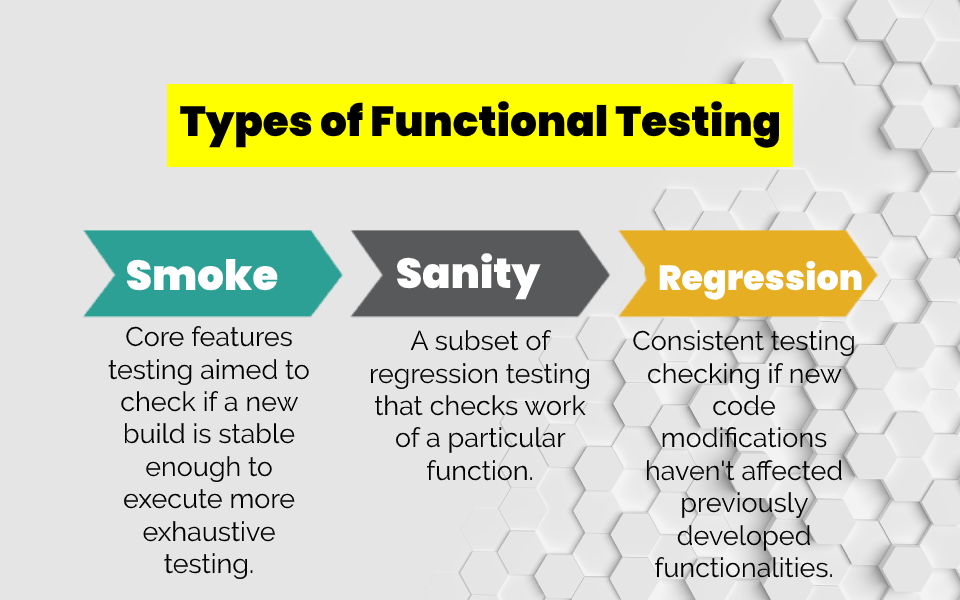
Smoke testing checks whether the most important functions of a new build work well enough for deeper testing to begin.
A typical smoke suite might verify that:
The application starts.
A user can log in.
Core pages load.
The main API is available.
A critical transaction can be completed.
The application does not crash immediately.
Smoke tests should be short and focused. Their purpose is not to prove that the build is release-ready. They prevent the team from spending hours testing a build with an obvious blocking failure.
Sanity testing
Sanity testing is a narrow check performed after a small change or fix. It confirms that the affected functionality works and that the build is stable enough for more extensive testing.
Suppose a defect prevented users from applying a discount code. After the fix, sanity testing might verify valid, invalid, expired, and already-used codes without running the entire ecommerce regression suite.
Smoke testing is generally broad and shallow. Sanity testing is narrow and focused on a particular change.
Regression testing
Regression testing checks whether changes have broken functionality that previously worked.
It is needed after:
New feature development
Defect fixes
Refactoring
Dependency updates
Configuration changes
Infrastructure migrations
Integration changes
A new shipping method, for example, could affect tax, discounts, delivery estimates, payment totals, and refund calculations. Regression testing covers the connected behavior, not only the new shipping option.
Stable and frequently repeated regression checks are strong candidates for automation.
User acceptance testing
User acceptance testing, or UAT, determines whether the system supports real business needs and is acceptable to its intended users or stakeholders.
UAT is usually performed by business representatives, product owners, clients, or selected end users rather than only by the QA team.
For example, accounting specialists might validate whether new invoicing software handles approval limits, tax rules, credit notes, and reporting in a way that matches their operational process.
A feature can satisfy its technical specification and still fail UAT because it does not support the way the business actually works.
Interface testing
Interface testing verifies communication between systems, services, modules, or users and the application.
It can cover:
API contracts
Required and optional fields
Status codes
Error responses
Authentication
Data types and formats
Timeouts
Retries
Duplicate requests
Version compatibility
For example, if a payment provider times out after receiving a request, the application must determine whether the payment succeeded before retrying. Otherwise, the customer could be charged twice.
Interface tests are particularly important in distributed systems because a failure may occur even when every individual service works correctly.
Functional testing process step by step
A consistent process makes functional testing traceable and repeatable.
Step 1: Analyze the requirements
Review user stories, specifications, acceptance criteria, designs, API contracts, and business rules.
Identify missing or ambiguous details before writing tests. Questions might include:
What happens if required data is missing?
Which roles can perform the action?
Are values inclusive at their boundaries?
What happens after a timeout?
Can an operation be repeated?
Which system is the source of truth?
How should partial failures be handled?
Testing cannot confirm behavior that has never been defined.
Step 2: Identify workflows and risks
Map the functions that users and connected systems depend on.
Prioritize scenarios based on:
Business impact
Usage frequency
Technical complexity
Change frequency
Defect history
Financial or regulatory consequences
Number of integrations
Critical workflows deserve deeper coverage than rarely used administrative options.
Step 3: Design test scenarios and test cases
Create high-level scenarios first, then add detailed cases where repeatability or traceability is important.
Include:
Positive scenarios
Negative scenarios
Boundary values
Alternative flows
Permissions
Invalid state transitions
Error recovery
Integration failures
Each test should have an identifiable purpose. Avoid creating multiple cases that exercise the same behavior without adding useful coverage.
Step 4: Prepare the environment and data
Confirm that the test environment contains:
The correct application build
Required integrations
Test accounts and roles
Known database state
Valid and invalid data
Appropriate feature flags
Logging and diagnostic access
Uncontrolled data makes results difficult to reproduce. If one test changes shared data required by another, execution order can affect the outcome.
Step 5: Execute the tests
Run the selected manual and automated checks.
Record:
Application version
Environment
Device or browser where relevant
Test data
Actual result
Evidence
Execution time
Pass, fail, blocked, or not-run status
A blocked test is not a passed test. Report the reason it could not be executed.
Step 6: Compare actual and expected results
A test passes when the observed result matches the defined expected result.
Check all relevant effects. A successful order is not confirmed only by a success message. The order, payment, inventory, notification, and account history may also need verification.
Step 7: Report and investigate defects
A useful defect report contains:
Clear title
Environment and build
Preconditions
Reproduction steps
Expected behavior
Actual behavior
Supporting evidence
Severity and impact
Relevant logs or request data
Separate product defects from environment, data, and test-script failures.
Step 8: Retest and run regression testing
Retest the original defect after a fix. Then check related functionality for regressions.
A calculation fix might affect invoices, reports, refunds, and exports. Retesting only the original field does not provide enough evidence.
Step 9: Report the outcome
Summarize:
Scope tested
Passed and failed tests
Blocked or untested areas
Open defects
Critical risks
Environment limitations
Release recommendation
The objective is not to produce a large pass-rate number. It is to show what the team knows about product behavior and where uncertainty remains.
Functional testing techniques
Test techniques help teams select representative inputs instead of attempting every possible combination.
Equivalence partitioning
Equivalence partitioning divides inputs into groups expected to produce similar behavior. The tester selects representative values from each group.
Suppose an insurance product accepts applicants aged 18 through 65.
The partitions are:
Below the accepted range
16
Rejected
Within the accepted range
35
Accepted
Above the accepted range
70
Rejected
Missing or invalid value
Blank
Validation error
Testing every age is unnecessary if the business rule treats all values within a partition the same.
However, equivalence classes should be based on actual behavior. If pricing changes at ages 25, 40, and 60, the accepted range requires additional partitions.
Boundary value analysis
Defects often occur at the edge of an allowed range. Boundary value analysis checks values immediately below, at, and immediately above a boundary.
For the accepted age range of 18–65, useful values are:
17
18
19
64
65
66
If the system accepts 18 and 65 but rejects 17 and 66, the inclusive boundaries work as specified.
Boundary analysis also applies to:
Character limits
Dates
File sizes
Transaction amounts
Quantity limits
Timeouts
Pagination
Decision table testing
Decision tables are useful when an outcome depends on several conditions.
Consider this hypothetical discount logic:
Members receive 5% off any order.
Orders of at least $100 receive an additional 10%.
The two discounts can be combined.
1
No
No
0%
2
Yes
No
5%
3
No
Yes
10%
4
Yes
Yes
15%
The table exposes every meaningful combination and prevents testers from covering only the most obvious path.
Decision tables work well for:
Permissions
Pricing
Approval workflows
Insurance rules
Shipping logic
Feature eligibility
Fraud checks
Example of a functional test case
The following example verifies a valid promotional code during checkout.
Test case summary
Test case ID
FT-CHK-001
Title
Apply a valid percentage discount during checkout
Requirement
Eligible users receive 10% off when using code SAVE10
Priority
High
Preconditions
User is signed in; code is active; cart contains an eligible $100 product
Test data
Promo code: SAVE10
Expected final total
$90 before unrelated taxes or shipping
Test steps
1
Add the eligible $100 product to the cart
Cart contains the correct product, quantity, and $100 subtotal
2
Proceed to checkout
Checkout displays the same cart contents and subtotal
3
Enter SAVE10 in the promo code field
Code is accepted for validation
4
Select Apply
A $10 discount appears and the total changes to $90
5
Refresh or reopen checkout
The valid discount and calculated total remain consistent
6
Submit the order using a valid payment method
Only $90 is sent for payment
7
Open the order confirmation and account history
Both display the same $90 total and applied code
8
Check the stored order through the API or database if access is available
Stored discount, subtotal, and final total are correct
Related negative cases should verify:
Invalid code
Expired code
Ineligible product
Minimum order not reached
Code usage limit exceeded
Code removed before payment
Repeated submission
Payment failure after the discount is applied
Refund of a discounted order
One successful case does not fully test the feature. It demonstrates the structure of a traceable functional test.
Manual vs. automated functional testing
Manual and automated functional testing solve different parts of the problem.
Best suited for
New, changing, exploratory, or judgment-based scenarios
Stable, repeatable, high-volume checks
Main strength
Human observation and adaptability
Speed, consistency, and repeated execution
Setup cost
Usually low
Can be substantial
Repeated execution cost
Remains relatively high
Usually decreases after implementation
Maintenance
Test documentation and data
Test code, data, framework, and infrastructure
Typical examples
Exploratory checks, UAT, new workflows
Smoke, API, and regression suites
Main limitation
Slower and difficult to scale
Cannot independently judge every unexpected behavior
Manual testing is useful when requirements are still evolving or when the tester needs to investigate behavior beyond predefined steps.
Automation is useful when the same scenario must run:
On every build
Across many data combinations
On several browsers or devices
After frequent changes
Inside CI/CD
With consistent repeatability
The most effective approach is usually mixed. Automate stable checks and preserve human attention for exploration, usability, changing functionality, and unusual risks.
Functional testing tools in 2026
Tool selection should start with the application layer, technology stack, team skills, and maintenance model.
Cross-browser web UI automation
Mature ecosystem and multiple language bindings; teams must design their own framework and synchronization approach
Modern end-to-end web testing
Supports Chromium, Firefox, and WebKit, with auto-waiting, tracing, parallel execution, and TypeScript, Python, Java, and .NET
Web end-to-end and component testing
Strong interactive debugging and JavaScript/TypeScript workflow; primarily focused on browser-based applications
Native, hybrid, and mobile web automation
Cross-platform and based on the WebDriver model; device and environment management can add complexity
API functional testing and collection-based workflows
Accessible for collaborative API testing; large collections need clear structure and version control
API testing in Java projects
Integrates well with Java test frameworks; requires coding skills
Integrated web, API, mobile, and desktop automation
Offers low-code and coded workflows; consider licensing and platform dependency
A single tool rarely covers every functional layer effectively. A web product might use:
Unit testing libraries for business logic
REST Assured or Postman for APIs
Playwright or Cypress for key browser workflows
Manual testing for new and exploratory scenarios
Choose tools based on the risks they need to cover, not their feature count.
Common functional testing mistakes
Testing only the happy path
Successful inputs are necessary but insufficient. Include invalid data, unavailable dependencies, interrupted workflows, duplicate actions, and permission failures.
Treating every test as equally important
A cosmetic preference and a payment failure do not carry the same risk. Allocate coverage according to business impact.
Writing expected results that are too vague
“Page works correctly” cannot be verified consistently. Describe the precise state, value, message, or system effect expected.
Checking only the visible interface
A confirmation message can appear even when the database was not updated or the integration failed. Verify relevant downstream effects.
Confusing test quantity with coverage
Hundreds of similar tests may leave important business rules uncovered. Map tests to requirements, workflows, and risks.
Automating unstable scenarios too early
Frequent product changes can create high maintenance costs. Stabilize requirements or test the underlying API or component first.
Ignoring obsolete tests
Remove or update tests that no longer protect an active requirement. Outdated automation wastes execution time and produces misleading results.
Functional testing checklist
Before completing a functional test cycle, confirm that:
Requirements and acceptance criteria are testable.
Ambiguous behavior has been clarified.
Critical user and system workflows are identified.
Positive and negative scenarios are covered.
Boundary values have been tested.
Relevant user roles and permissions are included.
Integrations and API errors are covered.
Test data is controlled and reproducible.
Expected results describe observable behavior.
Actual downstream effects are verified.
Blocking, failed, skipped, and untested cases are reported separately.
Defects include enough evidence to reproduce them.
Fixed defects have been retested.
Related regression tests have passed.
Environment limitations and remaining risks are documented.
Test behavior, not just screens
Functional testing provides evidence that software follows its business rules and supports the workflows people depend on. That requires more than clicking through the expected path.
Strong coverage connects requirements, representative test data, negative scenarios, boundaries, integrations, and observable results. Automation can make repeatable checks faster, but good test design still determines whether the suite protects the right behavior.
If you need support defining coverage, validating complex workflows, or combining manual and automated checks, explore DeviQA’s functional testing services.
A QA partner for every stage
Frequently asked questions
What is functional testing in simple terms?
Functional testing checks whether software features work according to their requirements. A tester performs an action or provides an input, observes the result, and compares it with the expected behavior.
What is an example of functional testing?
A login test is a common example. It may verify successful authentication with valid credentials, errors for incorrect passwords, validation of empty fields, account locking, password recovery, and role-based redirection.
What are the main types of functional testing?
Common types include unit, integration, system, smoke, sanity, regression, user acceptance, and interface testing. These categories describe different levels, purposes, or scopes and may overlap within one test suite.
What is the difference between functional and non-functional testing?
Functional testing verifies what the system does. Non-functional testing evaluates how well it does it, including performance, security, usability, reliability, and compatibility.
Is functional testing black-box testing?
Many functional tests are black-box tests because they validate inputs and outputs without examining the internal implementation. Functional checks can also exist at unit or integration level, where the tester or developer understands the code.
Can functional testing be automated?
Yes. Stable and repeatable functional checks are often automated at unit, API, integration, and UI levels. New, changing, exploratory, and judgment-based scenarios may remain manual.
Who performs functional testing?
Developers commonly perform unit and component checks. QA engineers handle broader integration, system, regression, and exploratory testing. Business representatives or users usually participate in UAT.
When should functional testing begin?
It can begin as soon as requirements and testable components are available. Reviewing requirements and designing scenarios early helps identify ambiguity before it becomes code.

About the author
Chief Technology Officer
Dmitry Reznik is the Chief Technology Officer and co-founder at DeviQA, bringing deep technical expertise across software architecture, implementation, and long-term system operation.